Updated:23 October 2026
Rank 1-11 of the best Brother A3 Printers
Our recommendation Price Customer rating
1. Comparison winner
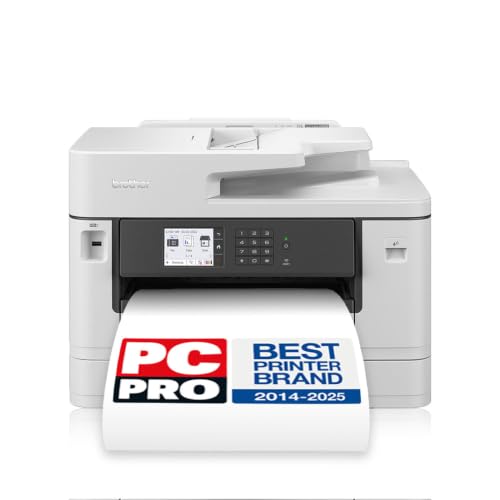
Brother MFC-J6940DW 4-in-1 Multifunction Printer
Available in a few days
free shipping
  • automatically prints double-sided up to A3
  • can print, scan, copy, and fax up to A3 size
  • connect wirelessly to print
Our rating
9,8
very good
2. Best value
Brother MFC-J5955DW Colour Inkjet Printer, 4-in-1, A3, Wireless
Available immediately
free shipping
  • prints on A3 sized paper and supports copying, scanning and faxing up to A4
  • prints up to 30 pages per minute
Our rating
9,6
very good
Brother MFC-J6960DW Wireless Colour Inkjet Printer, A3/A4, 4-in-1 (Print/Copy/Scan/Fax), USB/Wi‑Fi/NFC, 2 × 250-sheet capacity, 8.8 cm touchscreen, UK plug
Available immediately
free shipping
  • wireless connectivity for printing and scanning from mobile devices via a companion app
  • faster printing thanks to high power ink ejection delivering precise ink placement
  • paper capacity includes two 250-sheet input trays and a 50-sheet automatic document feeder for multipage scanning
Our rating
9,6
very good
Brother MFC-J6957DW A3 Colour Inkjet 4-in-1 Printer
Available immediately
free shipping
  • automatic double sided printing to save paper and speed up workflows
  • A3 size printing capability to produce larger format documents
  • wireless connectivity via Wi-Fi and wired LAN for access from multiple devices
Our rating
9,6
very good
5. Bestseller
Brother MFC-J6540DW 4-in-1 Colour Inkjet Printer
Available in a few days
free shipping
  • supports A3 size printing
  • connects wirelessly to devices
Our rating
9,5
very good
Brother MFC-J6760DW Colour Inkjet Printer, A3/A4, 4-in-1, Wi-Fi/USB/NFC, 250-sheet, 6.8cm touchscreen, UK plug
Available immediately
free shipping
  • wireless connectivity: enables printing and scanning from mobile devices using the printer app for on the go control
  • print speed: faster printing with precise ink delivery achieved by high power ink ejection
  • paper capacity: holds 250 sheets in the main paper tray and a 50 sheet automatic document feeder for multipage scanning
Our rating
9,3
good
Brother MFC-J5340DWE Inkjet Printer, Wireless Colour, 4-in-1 (Print/Copy/Scan/Fax), A3, EcoPro Subscription, 4-month trial, UK plug
Available immediately
free shipping
  • Auto-Duplex enables automatic two-sided printing to save paper
  • A3 capability lets you print on A3 size paper for larger documents
  • Wireless connectivity allows printing from mobile devices and control of the printer via a compatible app
Our rating
9,3
good
Brother MFC-J5340DW Inkjet Printer
Available immediately
free shipping
  • A3 size printing capability allowing printing on A3 sheets
  • Wireless connectivity enabling printing from mobile devices and remote locations
  • Print speed up to 28 pages per minute to produce documents quickly
Our rating
9,1
good
Brother MFC-J5740DW Wireless Colour Printer
Available immediately
free shipping
  • prints up to A3 size for large format documents
  • wireless connectivity for mobile device printing
  • up to 28 pages per minute for quick print jobs
Our rating
8,9
good
200+ purchases last month
Brother MFC-J5345DW 4-in-1 Colour Inkjet Printer, 250-Sheet Paper Tray
Available immediately
free shipping
  • automatic two sided printing to reduce paper usage
  • A3 printing capability supports paper sizes up to DIN A3
  • wireless connectivity via Wi-Fi lets you print from laptops, tablets and smartphones
Our rating
8,8
good
Brother MFC-J5340DW A3 Inkjet Printer
Available in a few days
free shipping
  • automatic double-sided printing
  • capable of A3 printing
  • wireless connectivity for easy printing from devices
Our rating
8,5
good

Similar Brother A3 Printer comparisons

Brother A3 Printers buying guide: How to choose the right product from the above Brother A3 Printers test or comparison

Understanding Brother A3 Printers: An Overview

What is an A3 Printer?

A3 printers are designed to print on larger paper sizes, specifically A3, which measures 11.7 x 16.5 inches. This size is ideal for users needing to produce high-quality documents, brochures, posters, or plans. By choosing a Brother A3 printer, we opt for machines that combine versatility and functionality, making them suitable for both home and office environments.

Why Choose Brother A3 Printers?

Brother has established a strong reputation as a reliable brand in the printing industry. Their A3 printers are known for their durability, print quality, and ease of use. Whether we are a small business owner, a student, or a creative professional, Brother A3 printers can handle diverse printing tasks efficiently.

Key Features to Look For in Brother A3 Printers

Print Quality

When selecting a Brother A3 printer, print quality should be a top priority. Look for printers that offer high resolution, as this will ensure crisp text and vivid images. Features such as colour options and toner quality also play significant roles in achieving professional-looking results.

Speed and Efficiency

Another crucial feature is printing speed. For busy environments, we need printers that can deliver pages quickly without sacrificing quality. Pay attention to the pages per minute (PPM) metric; higher PPM values indicate faster output, which can save us valuable time.

Connectivity Options

In today’s digital landscape, connectivity matters. Brother A3 printers often come with various connectivity options, such as USB, Wi-Fi, and even mobile printing capabilities. This flexibility allows us to print directly from our devices, enhancing convenience.

Multifunctionality

Many Brother A3 printers are multifunctional, meaning they can print, scan, copy, and sometimes fax. If we aim to maximise our office space and budget, choosing a multifunction printer can offer significant savings while meeting multiple needs.

How to Choose the Right Brother A3 Printer for Your Needs

Assessing Print Volume

Consider how often you’ll use the printer. For heavy usage, opt for a model designed for higher print volume. These models typically have larger paper trays and higher-yield toner cartridges, allowing us to print more without frequent refills.

Identifying Specific Features

Next, think about the specific features we might need. Do we require double-sided printing to save paper? Is scanning functionality important? By identifying our specific needs, we can narrow down our options more effectively.

Budget Considerations

Set a budget that reflects our printing needs and desired features. While it might be tempting to go for the cheapest model, consider the long-term costs, including toner and maintenance. We should aim for a printer that offers the best balance between initial price and ongoing expenses.

Evaluating Costs vs. Benefits of Brother A3 Printers

Understanding Initial Costs

The initial cost of a Brother A3 printer can vary. Some models are budget-friendly, while others come with more advanced features that justify a higher price. As we assess our options, it’s essential to determine which features align most closely with our requirements to ensure we are spending wisely.

Long-Term Investment

Keep in mind the long-term investment aspect. Higher-priced printers often have better build quality and performance, leading to savings over time. They may also offer features that reduce paper and toner usage, enhancing overall cost efficiency.

Evaluating Ongoing Costs

Consider the ongoing costs of toner and maintenance when evaluating the benefits of the printer. Some Brother A3 models are designed to be more efficient and utilising high-yield cartridges can significantly lower printing costs over time.

Maintaining Your Brother A3 Printer for Longevity

Regular Cleaning

To keep our Brother A3 printer functioning at its best, routine maintenance is crucial. Regularly cleaning the printhead and rollers helps prevent paper jams and ensures quality print output. Following the manufacturer’s guidelines for cleaning will prolong the printer’s lifespan.

Using Genuine Supplies

Utilising genuine Brother toner and ink cartridges is another way to ensure our printer remains in top shape. Third-party supplies may save us money initially, but they can lead to issues such as poor print quality and even damage to the printer.

Software and Firmware Updates

Keeping the printer’s software and firmware up to date is essential. These updates can improve functionality, fix bugs, and enhance performance. By regularly checking for updates, we ensure our printer operates smoothly and effectively.


Table of contents
  1. Understanding Brother A3 Printers: An Overview
  2. Key Features to Look For in Brother A3 Printers
  3. How to Choose the Right Brother A3 Printer for Your Needs
  4. Evaluating Costs vs. Benefits of Brother A3 Printers
  5. Maintaining Your Brother A3 Printer for Longevity

Overview

1. Comparison winner
Brother MFC-J6940DW 4-in-1 Multifunction Printer
Our rating
9,8
very good
Brother MFC-J6940DW 4-in-1 Multifunction PrinterAvailable in a few days
2. Best value
Brother MFC-J5955DW Colour Inkjet Printer, 4-in-1, A3, Wireless
Our rating
9,6
very good
Brother MFC-J5955DW Colour Inkjet Printer, 4-in-1, A3, WirelessAvailable immediately
Brother MFC-J6960DW Wireless Colour Inkjet Printer, A3/A4, 4-in-1 (Print/Copy/Scan/Fax), USB/Wi‑Fi/NFC, 2 × 250-sheet capacity, 8.8 cm touchscreen, UK plug
Our rating
9,6
very good
Brother MFC-J6960DW Wireless Colour Inkjet Printer, A3/A4, 4-in-1 (Print/Copy/Scan/Fax), USB/Wi‑Fi/NFC, 2 × 250-sheet capacity, 8.8 cm touchscreen, UK plugAvailable immediately
Brother MFC-J6957DW A3 Colour Inkjet 4-in-1 Printer
Our rating
9,6
very good
Brother MFC-J6957DW A3 Colour Inkjet 4-in-1 PrinterAvailable immediately
5. Bestseller
Brother MFC-J6540DW 4-in-1 Colour Inkjet Printer
Our rating
9,5
very good
Brother MFC-J6540DW 4-in-1 Colour Inkjet PrinterAvailable in a few days
Brother MFC-J6760DW Colour Inkjet Printer, A3/A4, 4-in-1, Wi-Fi/USB/NFC, 250-sheet, 6.8cm touchscreen, UK plug
Our rating
9,3
good
Brother MFC-J6760DW Colour Inkjet Printer, A3/A4, 4-in-1, Wi-Fi/USB/NFC, 250-sheet, 6.8cm touchscreen, UK plugAvailable immediately
Brother MFC-J5340DWE Inkjet Printer, Wireless Colour, 4-in-1 (Print/Copy/Scan/Fax), A3, EcoPro Subscription, 4-month trial, UK plug
Our rating
9,3
good
Brother MFC-J5340DWE Inkjet Printer, Wireless Colour, 4-in-1 (Print/Copy/Scan/Fax), A3, EcoPro Subscription, 4-month trial, UK plugAvailable immediately
Brother MFC-J5340DW Inkjet Printer
Our rating
9,1
good
Brother MFC-J5340DW Inkjet PrinterAvailable immediately
Our product comparisons are:
Always up to date:
At most every 120 days, we update each category with new products and research developments in the top rankings. This ensures that our recommendations are always up to date
Neutral and independent:
Our tests and comparisons are objective and fact-based. Manufacturers have no influence on the ratings. We aim to provide greater transparency in the market, thereby promoting product quality.
Method-driven
In our tests & comparison tables, we only include products that meet our minimum standards. This ensures that you can find the perfect product for your needs from a wide selection.
Similar tests and comparisons - Inkjet Printers