Updated:20 October 2026
Rank 1-7 of the best Business Laptops
Our recommendation Price Customer rating
1. Comparison winner
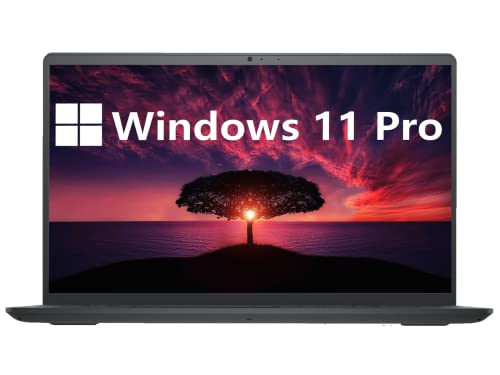
Dell Inspiron 15 Laptop - Intel i7, 32GB RAM, 1TB SSD
Available immediately
free shipping
  • battery life: powered by a 4-cell, 54 Wh battery for extended use
  • storage capacity: 1TB PCIe NVMe M.2 solid-state drive for fast storage
  • processor performance: 12th Gen Intel Core i7-1255U processor with 10 cores and speeds up to 4.70 GHz
Our rating
9,8
very good
2. Best value
Dell Inspiron 3000 Laptop, 15.6" HD, Intel Pentium N5030, 16GB RAM, 1TB HDD
Available immediately
free shipping
  • battery life: features a 3 cell, 41 Wh integrated battery with fast charging capabilities, reaching up to 80% in 60 minutes
  • storage capacity: equipped with a 1TB hard drive for ample storage space and quick data access
  • processor performance: powered by an Intel Pentium Silver N5030 quad-core processor, providing up to 3.10 GHz for efficient multitasking
Our rating
9,8
very good
Asus Zenbook 14 OLED UX3402VA Laptop
Available immediately
free shipping
  • long-lasting 75 Wh battery provides extended use away from power outlets
  • ultrafast PCIe 4.0 x4 SSDs offer ample storage capacity
  • 12th Gen Intel Core processors and 16 GB RAM deliver powerful performance for multitasking
Our rating
9,5
very good
Dell Inspiron 15 Business Laptop
Available immediately
free shipping
  • up to 64GB of RAM and up to 2TB of SSD storage for fast performance and ample data access
  • Intel 10-Core i5 processor with speeds up to 4.4GHz for efficient multitasking
  • 15.6-inch Full HD display with a resolution of 1920 x 1080 for vibrant visuals
Our rating
9,5
very good
5. Bestseller
Apple MacBook Neo 13-inch Laptop - A18 Pro chip, 8GB Unified Memory, 512GB SSD, Liquid Retina Display, 1080p FaceTime HD Camera, Touch ID, Indigo
Available immediately
free shipping
  • up to 16 hours of battery life to power a full day of study and work
  • a fast processor for everyday tasks and on device AI features
  • a 13-inch Liquid Retina display with high resolution and vivid colour
Our rating
9,5
very good
Lenovo V15 Gen 4 Business Laptop - 15.6-inch FHD, i5-13420H, 16GB RAM, 512GB SSD, Windows 11
Available immediately
free shipping
  • Storage capacity: 512GB PCIe NVMe M.2 solid state drive for fast boot and data transfer
  • Processor performance: Intel Core i5-13420H with 8 cores and 12 threads, base clock 1.5 GHz and turbo up to 4.6 GHz
  • Display size: 15.6 inch full HD display with 1920x1080 resolution
Our rating
9,1
good
100+ purchases last month
HP 250 G10 Laptop, 15.6in FHD, i5-1334U, 16GB RAM, 512GB PCIe SSD, Windows 11 Pro
Available immediately
free shipping
  • 512 gigabytes of fast NVMe solid-state storage for generous capacity and quick boot and load times
  • Intel Core i5-1334U processor delivering responsive performance with a boost clock up to 4.6 gigahertz for demanding tasks
  • 15.6 inch full-HD display with an IPS panel for sharp text and wide viewing angles
Our rating
8,6
good
50+ purchases last month

Similar Business Laptop comparisons

Business Laptops buying guide: How to choose the right product from the above Business Laptops test or comparison

Understanding Your Needs: What to Look for in a Business Laptop

Identify Your Primary Use Cases

Before diving into technical specifications, it’s essential to consider how you’ll be using the laptop. If your tasks are primarily document creation, basic spreadsheet work, and video conferencing, you won’t require the most powerful model available. However, if you’re involved in heavy graphic design, data analysis, or software development, you’ll want a device that can handle demanding applications. By defining your specific needs, we can narrow down the features that will benefit you the most.

Consider Your Work Environment

Think about where you will be using your laptop most frequently. If you travel a lot for business or work from various locations, portability is key. In this case, a lightweight model with a robust battery life will serve you well. On the other hand, if you primarily work from an office, you may prefer a larger screen for better visibility and comfort without worrying too much about weight.

Essential Features That Enhance Productivity

Processor Power

The processor is essentially the brain of your laptop. A good processor will ensure smooth operation regardless of the workload you place on it. For most business needs, an Intel Core i5 or equivalent will generally provide sufficient power, while those needing higher performance may opt for an Intel Core i7 or similar. This ensures multitasking is seamless, and applications launch quickly.

RAM and Storage Considerations

RAM is crucial for how many applications you can have open simultaneously. For typical business usage, we recommend at least 8GB of RAM. If you work with large files or numerous applications at once, consider 16GB or more. Storage is equally important; choose a laptop with a Solid State Drive (SSD) for faster boot times and file access. A 256GB SSD is a good starting point, but those who require more space should look for 512GB or higher.

Display Quality

The quality of your display can greatly impact your day-to-day work. A minimum resolution of 1920×1080 (Full HD) is key for crisp images and clarity when working on presentations or video calls. Additionally, considering screen size is important; a 14 to 15-inch display strikes a good balance between portability and usability.

Battery Life

Long-lasting battery life is non-negotiable for business laptops, especially for those on the go. A battery life of at least 8 hours will ensure you can get through your workday without needing to recharge. Always check reviews or manufacturer claims to find real-world performance metrics to avoid disappointment.

Keyboard Comfort

A comfortable keyboard is essential, particularly if you spend a lot of time typing. Look for a laptop with a well-designed keyboard that has good travel and feedback. Backlit keyboards are also helpful, especially in low-light conditions, allowing for efficient day or night work.

Top Picks for Every Budget: Our Recommendations

Entry-Level Business Laptops

For those on a tight budget, options like the Acer Swift 3 offer a great balance of performance and value. With an Intel Core i5, 8GB of RAM, and a 256GB SSD, it provides everything needed for basic business tasks without breaking the bank.

Mid-Range Recommendations

If you’re willing to spend a bit more for enhanced features, the Dell XPS 13 is a solid choice. It combines powerful internals with a stunning display and long battery life, making it perfect for professionals on the move.

High-End Options

For those who demand the best performance and luxury, the MacBook Pro 14 is unrivalled. With top-of-the-line processors, exceptional battery life, and excellent build quality, this laptop is designed to handle the most demanding tasks with ease.

Tips for Optimal Performance and Longevity

Regular Maintenance Routines

To ensure your laptop functions well over time, make it a habit to keep it free from dust and debris. Cleaning the keyboard and screen periodically will help maintain visibility and responsiveness. Additionally, regularly updating your operating system and software will improve security and performance.

Battery Care

Taking care of your laptop’s battery can extend its lifespan significantly. Avoid leaving your laptop plugged in all the time, and if you’re using it unplugged, try to keep it between 20%-80% charged for optimal health.

Making Use of Built-in Features

Many laptops come with built-in tools for performance management. Utilizing these can help optimise your system, preventing slowdowns over time. Familiarise yourself with these options to ensure your work stays efficient.


Table of contents
  1. Understanding Your Needs: What to Look for in a Business Laptop
  2. Essential Features That Enhance Productivity
  3. Top Picks for Every Budget: Our Recommendations
  4. Tips for Optimal Performance and Longevity

Overview

1. Comparison winner
Dell Inspiron 15 Laptop - Intel i7, 32GB RAM, 1TB SSD
Our rating
9,8
very good
Dell Inspiron 15 Laptop - Intel i7, 32GB RAM, 1TB SSDAvailable immediately
2. Best value
Dell Inspiron 3000 Laptop, 15.6" HD, Intel Pentium N5030, 16GB RAM, 1TB HDD
Our rating
9,8
very good
Dell Inspiron 3000 Laptop, 15.6" HD, Intel Pentium N5030, 16GB RAM, 1TB HDDAvailable immediately
Asus Zenbook 14 OLED UX3402VA Laptop
Our rating
9,5
very good
Asus Zenbook 14 OLED UX3402VA LaptopAvailable immediately
Dell Inspiron 15 Business Laptop
Our rating
9,5
very good
Dell Inspiron 15 Business LaptopAvailable immediately
5. Bestseller
Apple MacBook Neo 13-inch Laptop - A18 Pro chip, 8GB Unified Memory, 512GB SSD, Liquid Retina Display, 1080p FaceTime HD Camera, Touch ID, Indigo
Our rating
9,5
very good
Apple MacBook Neo 13-inch Laptop - A18 Pro chip, 8GB Unified Memory, 512GB SSD, Liquid Retina Display, 1080p FaceTime HD Camera, Touch ID, IndigoAvailable immediately
Lenovo V15 Gen 4 Business Laptop - 15.6-inch FHD, i5-13420H, 16GB RAM, 512GB SSD, Windows 11
Our rating
9,1
good
Lenovo V15 Gen 4 Business Laptop - 15.6-inch FHD, i5-13420H, 16GB RAM, 512GB SSD, Windows 11Available immediately
HP 250 G10 Laptop, 15.6in FHD, i5-1334U, 16GB RAM, 512GB PCIe SSD, Windows 11 Pro
Our rating
8,6
good
HP 250 G10 Laptop, 15.6in FHD, i5-1334U, 16GB RAM, 512GB PCIe SSD, Windows 11 ProAvailable immediately
Our product comparisons are:
Always up to date:
At most every 120 days, we update each category with new products and research developments in the top rankings. This ensures that our recommendations are always up to date
Neutral and independent:
Our tests and comparisons are objective and fact-based. Manufacturers have no influence on the ratings. We aim to provide greater transparency in the market, thereby promoting product quality.
Method-driven
In our tests & comparison tables, we only include products that meet our minimum standards. This ensures that you can find the perfect product for your needs from a wide selection.
Similar tests and comparisons - Laptops