




Updated:21 October 2026
Rank 1-13 of the best Case Fans
Our recommendation Price Customer rating
1. Comparison winner
ARCTIC P12 120mm PC Fan 5 Pack
Available immediately
free shipping
  • static pressure of 2.2 mmH₂O for efficient cooling with increased air resistance
  • fan speed up to 1800 revolutions per minute
  • noise level is 0.3 sone
Our rating
9,8
very good
2. Bestseller
Corsair RS120 ARGB 120mm PWM Fans Triple Pack
Available immediately
free shipping
  • 2.8 mm-H2O static pressure for effective performance on radiators
  • Fan speed adjustable up to 2,100 RPM for custom airflow
  • Low noise level for quiet operation
Our rating
9,6
very good
300+ purchases last month
3. Best value
Noctua NF-P12 redux-1300 PWM Quiet Fan (120mm)
Available immediately
free shipping
  • High static pressure for efficient cooling in CPU coolers, water radiators, and chassis
  • RPM range up to 1300 for adaptability to performance needs
  • Noise level up to 19.8 dB for quiet operation
Our rating
9,6
very good
ARCTIC F12 120mm PC Fan 5 Pack
Available immediately
free shipping
  • 1.0 mmH₂O static pressure
  • 1350 rpm fan speed range
  • 0.3 sone noise level
Our rating
9,6
very good
Fractal Design Venturi HP-14 PWM Fan 140mm
Available immediately
free shipping
  • High rotation speed for versatile performance requirements
  • Low noise operation for quieter environments
  • Extended lifespan due to reduced wear
Our rating
9,5
very good
Noctua NF-P12 redux-1700 PWM Cooling Fan (120mm)
Available immediately
free shipping
  • static pressure for efficient air circulation in CPU coolers and radiators
  • RPM range up to 1700 for performance or quiet operation
  • noise level of maximum 25.1 decibels for silent operation
Our rating
9,5
very good
200+ purchases last month
Thermalright TL-C12CW-S CPU Air Fan 120mm
Available immediately
free shipping
  • 1.53mm H2O of static pressure for effective cooling
  • RPM range up to 1550 for adjustable performance
  • Noise level up to 25.6dBA for quieter operation
Our rating
9,5
very good
50+ purchases last month
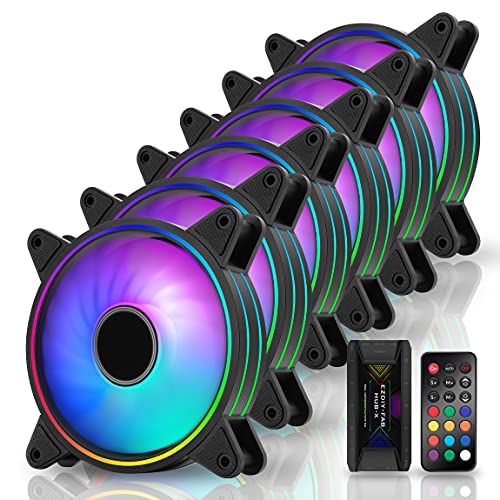
EZDIY-FAB Moonlight 120mm RGB Case Fan 6 Pack
Available immediately
free shipping
  • 1200 to 1800 RPM
  • reduces noise with anti-vibration rubber pads
  • enhanced lifespan with self-lubricating bearings
Our rating
9,5
very good
Thermalright TL-C12C X3 CPU Fan 120mm
Available immediately
free shipping
  • static pressure of 1.53mm H2O for high cooling efficiency
  • RPM range up to 1550
  • noise level of 25.6dBA for quiet operation
Our rating
9,3
good
Thermalright TL-C12C-S CPU Fan 120mm ARGB Case Cooler
Available immediately
free shipping
  • static pressure of 1.53mm H2O for efficient airflow
  • RPM range up to 1500 for optimal cooling performance
  • noise level of 25.6dBA for quiet operation
Our rating
9,3
good
upHere 120mm Silent Fan 3-Pack 12BK3-3
Available immediately
free shipping
  • operates within a range of rotations per minute
  • noise level of 19 decibels for quiet operation
  • includes adjustable RGB lighting for customisable colour options
Our rating
9,0
good
Thermalright TL-C12C X5 CPU Cooler 120mm, Black
Available immediately
free shipping
  • static pressure of 1.53mm H2O for effective airflow
  • speed range reaching up to 1550 RPM
  • noise level up to 25.6 dBA for quieter operation
Our rating
8,9
good
ARCTIC F12 PWM PST PC Fan, 120mm
Available immediately
free shipping
  • 1.0 mmH₂O of static pressure
  • fan speed ranges between 230 to 1350 rpm
  • noise level of 0.3 sone
Our rating
8,8
good

Similar Case Fan comparisons

Case Fans buying guide: How to choose the right product from the above Case Fans test or comparison

Understanding the Importance of Case Fans for Your PC: Why Cool is Key

The Role of Case Fans in Your PC

When we build or upgrade our PCs, it’s easy to overlook case fans, but they play a crucial role. Imagine your computer working hard during intense gaming or heavy rendering tasks; without proper cooling, it could overheat, leading to performance issues or even hardware failure. Case fans ensure there’s a steady flow of cool air into the system while expelling hot air. This constant airflow keeps all components at optimal temperatures, which is essential for longevity and reliability.

The Consequences of Poor Cooling

Think of your computer as like a person trying to perform in a hot, stuffy room without proper ventilation. If we’re overheated, our performance dips. Similarly, a computer’s performance can significantly decline under heat stress. This is where good cooling solutions, including case fans, can make a notable difference. They not only keep the temperatures down but also contribute to system stability, making every operation smoother and more efficient.

Choosing the Right Case Fan Size and Type: What Fits Your Setup

Understanding Fan Sizes

Selecting the right size for your case fans is essential for ensuring they fit your PC case and provide excellent airflow. The most common sizes are 120mm and 140mm, but some cases support even larger sizes. To visualize this, think of a car engine; a larger radiator (or a bigger fan, in this case) can often dissipate heat more effectively. Always check your PC case specifications to know the maximum fan sizes it can accommodate.

Types of Case Fans

Not all case fans are created equal. There are primarily two types: airflow-focused fans, designed to move more air at lower pressures, and static pressure fans, which are better at pushing air through tight spaces, like filters or radiators. If your setup has dust filters or radiators, static pressure fans might be your best bet. On the other hand, if you prioritize overall airflow in an open case, airflow fans should be your focus.

Key Features to Consider When Selecting a Case Fan: Noise Levels, RGB Lighting, and Performance

Noise Levels and Performance Balance

When choosing case fans, we must consider noise levels, especially if our PC is situated in a quiet room. Look for fans rated in decibels (dB); a fan operating around 20-30 dB is typically considered quiet. To picture it, that’s similar to the sound of rustling leaves or a whisper. Balance is key; look for fans that provide excellent airflow without creating a distracting noise level.

Aesthetic Factors: RGB Lighting

Aesthetics can also be a significant factor in our decision-making. Many case fans come with RGB lighting, adding a vibrant touch to your build. If you enjoy a themed setup or a little flair, opt for fans that allow customisation through software, letting you adjust colours to match your mood or the game you’re playing. RGB fans can transform the internal look of your PC, making it look sleek and vibrant.

Installation Made Easy: How to Set Up Your Case Fans Like a Pro

Planning the Layout

Before diving into installation, take a moment to plan where your fans will go. A common setup includes front intake fans for bringing cool air in and rear or top exhaust fans for pushing hot air out. It’s like creating a breeze in your room; you want a natural flow instead of a stuffy environment.

Simple Installation Steps

Installing case fans is usually straightforward. Most fans come with screws and user manuals, guiding us through the process. Begin by ensuring your PC is powered off and unplugged. Secure the fans to the designated spots in your case using the screws, then connect the power cables to your motherboard or fan controller. This process is like connecting the power in your home; once plugged in correctly, everything should light up and work.

Maintaining Your Case Fans: Tips for Longevity and Optimal Performance

Regular Cleaning for Performance

Keeping your case fans clean is vital for their longevity. Dust can significantly impede airflow, so we recommend blowing out dust from fans and other components every few months using compressed air or a soft brush. Imagine your fans like a coffee machine; if it’s clogged with leftover grounds, it won’t work well. Regular maintenance ensures consistent performance.

Listening for Changes

Another tip is to listen for any unusual sounds. If fans start to create more noise than usual, it might be a sign they need attention, whether a simple cleaning or potential replacement. Keeping an ear out for these changes can save us from future headaches, ensuring our systems run smoothly.


Table of contents
  1. Understanding the Importance of Case Fans for Your PC: Why Cool is Key
  2. Choosing the Right Case Fan Size and Type: What Fits Your Setup
  3. Key Features to Consider When Selecting a Case Fan: Noise Levels, RGB Lighting, and Performance
  4. Installation Made Easy: How to Set Up Your Case Fans Like a Pro
  5. Maintaining Your Case Fans: Tips for Longevity and Optimal Performance

Overview

1. Comparison winner
ARCTIC P12 120mm PC Fan 5 Pack
Our rating
9,8
very good
ARCTIC P12 120mm PC Fan 5 PackAvailable immediately
2. Bestseller
Corsair RS120 ARGB 120mm PWM Fans Triple Pack
Our rating
9,6
very good
Corsair RS120 ARGB 120mm PWM Fans Triple PackAvailable immediately
3. Best value
Noctua NF-P12 redux-1300 PWM Quiet Fan (120mm)
Our rating
9,6
very good
Noctua NF-P12 redux-1300 PWM Quiet Fan (120mm)Available immediately
ARCTIC F12 120mm PC Fan 5 Pack
Our rating
9,6
very good
ARCTIC F12 120mm PC Fan 5 PackAvailable immediately
Fractal Design Venturi HP-14 PWM Fan 140mm
Our rating
9,5
very good
Fractal Design Venturi HP-14 PWM Fan 140mmAvailable immediately
Noctua NF-P12 redux-1700 PWM Cooling Fan (120mm)
Our rating
9,5
very good
Noctua NF-P12 redux-1700 PWM Cooling Fan (120mm)Available immediately
Thermalright TL-C12CW-S CPU Air Fan 120mm
Our rating
9,5
very good
Thermalright TL-C12CW-S CPU Air Fan 120mmAvailable immediately
EZDIY-FAB Moonlight 120mm RGB Case Fan 6 Pack
Our rating
9,5
very good
EZDIY-FAB Moonlight 120mm RGB Case Fan 6 PackAvailable immediately
Our product comparisons are:
Always up to date:
At most every 120 days, we update each category with new products and research developments in the top rankings. This ensures that our recommendations are always up to date
Neutral and independent:
Our tests and comparisons are objective and fact-based. Manufacturers have no influence on the ratings. We aim to provide greater transparency in the market, thereby promoting product quality.
Method-driven
In our tests & comparison tables, we only include products that meet our minimum standards. This ensures that you can find the perfect product for your needs from a wide selection.
Similar tests and comparisons - Laptop Cooling Solutions

