Understanding the Basics of 3.5 Inch External Hard Drives
What is a 3.5 Inch External Hard Drive?
A 3.5 inch external hard drive is a type of storage device typically used for backing up files or expanding your computer’s storage capacity. Unlike smaller 2.5 inch drives, these larger drives need an external power source due to their design. They often offer more storage space and are commonly used for tasks where greater capacity is needed, such as storing large files, extensive backups, or organising media libraries.
How Does It Work?
Basically, a 3.5 inch external hard drive connects to your computer via a USB port or other connections, transferring data back and forth. Internally, this type of hard drive contains spinning disks that read and write data using a mechanical arm, which allows for significant storage capabilities at a lower cost. This makes them suitable for users who require high-capacity storage without breaking the bank.
Key Features to Look for When Choosing an External Hard Drive
Understanding Speed and Performance
When selecting an external hard drive, speed can be an essential factor. Look for drives with USB 3.0 or higher connections, as these offer faster data transfer rates compared to older USB 2.0. If you regularly move large files, this feature could save you considerable time.
Importance of Durability
Durability is another key feature; consider drives that come in robust enclosures designed to withstand shocks and drops. This becomes especially important if you plan to transport your drive frequently. Additionally, some models are designed for better resistance to environmental hazards, such as moisture or dust.
Security Features
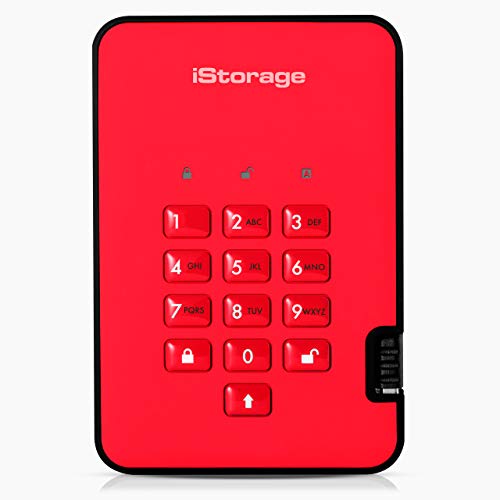
Your data’s security should not be overlooked. Some external drives offer built-in encryption or password protection features, allowing you to secure sensitive information. This is particularly relevant if you’ll be storing personal or confidential data.
How Much Storage Do You Really Need?
Estimating Your Storage Requirements
Consider what you’ll be using the external drive for when deciding on storage capacity. If you’re merely backing up documents and photos, a drive with 500GB to 1TB will likely suffice. However, if you plan to store large video files, games, or a complete media library, opting for 2TB or more would be prudent to ensure you have enough space.
Understanding Drive Sizes
Most 3.5 inch external drives range from 1TB up to 20TB. It’s crucial to foresee potential future storage needs; larger capacities provide more flexibility. If you expect to accumulate more data over time, investing in a higher-capacity drive might save you from needing to purchase another one soon.
Exploring Compatibility with Different Devices
Checking System Requirements
Before purchasing, ensure compatibility with your existing devices. Most external hard drives will work seamlessly with both Windows and Mac computers, but it’s wise to check the specific requirements. If you use Linux or older systems, confirm that the drive supports these operating systems.
Connection Types and Compatibility
Different connection types can affect compatibility as well; for optimal performance, ensure that your current devices have the correct ports – particularly if considering USB-C or Thunderbolt drives. Adapters may be available but could reduce transfer speeds.
Tips for Maintaining Your External Hard Drive
Regular Backups Are Key
To prolong the life of your external hard drive, regularly back it up and manage your files effectively. Regularly delete unnecessary files to free up space, and defragment the drive if it’s not solid-state, to enhance performance.
Safe Storage Practices
Ensure that you store your external drive in a safe, dry place. Avoid placing it in locations where it is prone to temperature fluctuations or humidity, as these factors can damage the drive. Always disconnect the drive safely from your computer to prevent data corruption.
Watch for Signs of Failure
Be vigilant for any unusual noises or performance issues while using your external drive. Should you notice any odd sounds or if the drive becomes excessively slow, it might be time to back up your data and consider replacing the drive.