Updated:30 October 2026
Rank 1-17 of the best USB-C Hubs
Our recommendation Price Customer rating
1. Comparison winner
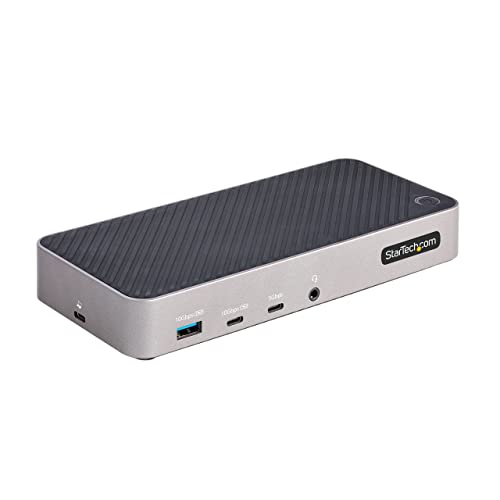
Anker 11-in-1 USB-C Dual-Monitor Docking Station with 4K HDMI and DisplayPort, 85W Power Delivery
Available immediately
free shipping
  • supports 4K HDMI display for high-definition viewing
  • enables pass-through charging up to 85W, allowing simultaneous laptop powering and hub usage
  • offers high-speed data transfer with a 10Gbps USB-C port, 10Gbps USB-A port and microSD/SD card slots
Our rating
9,8
very good
2. Best value
UGREEN 6-in-1 USB-C Hub with HDMI and Ethernet
Available immediately
free shipping
  • HDMI port supports resolutions up to 4K at 30Hz for detailed and vivid media display
  • 100W USB-C PD port enables pass-through charging to power your workflow
  • 3 USB-A ports for data transfer at speeds up to 5 Gbps
Our rating
9,8
very good
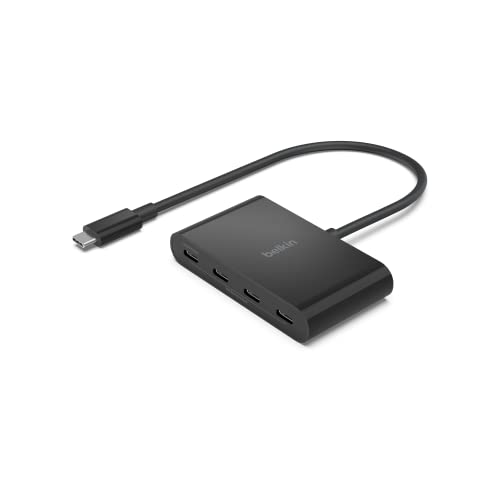
Belkin CONNECT 4-Port USB-C 3.2 Gen 2 Hub
Available immediately
free shipping
  • connects to a 4K HDMI display for ultra-clear video output
  • provides pass-through charging to power your device while in use
  • enables high-speed data transfer up to 10 Gbps for fast file sharing and connectivity
Our rating
9,6
very good
4. Bestseller
Anker 8-in-1 USB-C Hub with Ethernet and 4K HDMI
Available immediately
free shipping
  • supports 4K media display with resolutions up to 4K at 60Hz for DP 1.4 laptops or 4K at 30Hz for DP 1.2 laptops
  • pass-through charging capability allows device to charge at up to 85 watts
  • ensures high-speed data transfer with speeds of up to 10 gigabits per second via USB-C and USB-A data ports
Our rating
9,6
very good
UGREEN 4-Port USB-C Hub, 10Gbps
Available immediately
free shipping
  • high-speed data transfer with a speed of up to 10Gbps
  • multiport connectivity with four usb-c ports for connecting multiple devices
Our rating
9,6
very good
300+ purchases last month
UGREEN Revodok 7-in-1 USB-C Hub with Ethernet and 4K HDMI
Available immediately
free shipping
  • 4K HDMI port provides detailed visuals with vibrant colours on an external monitor
  • supports up to 100W USB-C pass-through charging to keep your laptop powered
  • transfer files, movies, and photos at speeds up to 5 Gbps via USB-A 3.0 data ports
Our rating
9,6
very good
UGREEN Revodok USB-C Hub with 4K HDMI and 100W Power Delivery
Available immediately
free shipping
  • 4K HDMI port provides vivid visuals at 60Hz, enhancing detail and smoothness
  • pass-through charging enables laptops to charge while using other functions, with up to 85W input
  • high-speed data transfer via 10Gbps USB-C and USB-A ports for efficient file sharing
Our rating
9,6
very good
500+ purchases last month
UGREEN 5-in-1 USB-C Hub with 4K HDMI, 100W Power Delivery and 3 USB-A Ports
Available immediately
free shipping
  • hdmi port supports 4K media display at resolutions up to 30Hz for detailed and vivid visuals
  • usb-c pd port allows efficient pass-through charging up to 100W for your laptop
  • usb-a 3.0 port enables high-speed file transfer at speeds up to 5 Gbps
Our rating
9,6
very good
SABRENT 7-Port Powered USB Hub (HB-3A4C)
Available again soon
free shipping
  • high-definition HDMI output with 3840 x 2160 resolution for clear and detailed visuals
  • high-speed data transfer with 5Gbps USB ports for quick access to devices and files
  • options to connect multiple devices simultaneously through its seven port design
Our rating
9,5
very good
UGREEN Revodok Pro USB-C Dual Monitor Docking Station
Available immediately
free shipping
  • connects up to two displays with 4K ultra high definition resolution for multitasking and creative workflows
  • supports pass-through charging with a maximum of 85 watts via the USB-C port to keep your device powered up
  • high-speed data transfer of files, movies, and photos at speeds up to 5 gigabits per second
Our rating
9,5
very good
TP-Link UH9120C 9-in-1 USB-C Hub with 4K HDMI and Gigabit Ethernet
Available immediately
free shipping
  • connects to an external monitor for 4K ultra high-definition display via HDMI
  • supports pass-through charging with up to 100W power delivery
  • enables high-speed data transfer with three USB 3.0 ports
Our rating
9,5
very good
50+ purchases last month
UGREEN 7-in-1 USB-C Hub with 4K HDMI
Available immediately
free shipping
  • connects to external monitors with 4K resolution via HDMI
  • allows charging up to 100W through the USB-C port without disconnection
  • supports high-speed data transfer up to 5 Gbps through USB-C and USB-A ports
Our rating
9,5
very good
UGREEN 4-Port USB-C Hub, 10Gbps, 100W PD
Available immediately
free shipping
  • supports pass-through charging with 100W USB-C PD for powering laptops efficiently
  • high-speed data transfer at 10Gbps, allowing file transfers of large sizes to be completed in seconds
Our rating
9,5
very good
Acer 4-Port USB 3.0 USB-C Hub with Power Delivery, 20 cm
Available immediately
free shipping
  • high-speed data transfer up to 5Gbps for swift file and media transfers
  • multiport connectivity with 4 additional USB 3.0 ports for connecting multiple peripherals
Our rating
9,3
good
Anker 5-in-1 USB-C Hub with 4K HDMI and 90W Power Delivery
Available immediately
free shipping
  • supports 4K resolution display at 30Hz for enhanced visuals
  • allows passing through up to 90W, supporting optimal laptop charging, with 10W reserved for operational efficiency
  • offers fast data transfer with a 5Gbps USB 3.0 port and two 480Mbps USB 2.0 ports
Our rating
9,1
good
BENFEI 5-in-1 USB-C Hub with 4K HDMI
Available immediately
free shipping
  • supports media display at resolutions up to 4K 30Hz via HDMI port for clear and vivid images
  • allows up to 90W pass-through charging through the USB-C port, maintaining laptop power
  • transfers files at speeds up to 10 Gbps with USB A 3.2 port
Our rating
9,0
good
Anker 4-in-1 USB-C Hub, 0.2 m
Available immediately
free shipping
  • high-speed data transfer with 5Gbps speeds for quick file transfers
  • multiport connectivity with a 4-in-1 hub design
Our rating
8,9
good

Similar USB-C Hub comparisons

USB-C Hubs buying guide: How to choose the right product from the above USB-C Hubs test or comparison

Understanding USB-C Hubs: What They Are and Why You Need One

What is a USB-C Hub?

A USB-C hub is a device that expands the capabilities of your USB-C port by providing additional connection options. Imagine your laptop has just one USB-C port, but you need to connect a monitor, a keyboard, and an external hard drive simultaneously. Instead of switching cables or being limited to just one connection at a time, a USB-C hub allows you to plug multiple devices into your single USB-C port, effectively transforming it into a multi-port connection centre.

The Importance of USB-C Hubs in Modern Tech

As technology evolves, more devices are adopting USB-C as the standard for connectivity. This trend places USB-C hubs in a pivotal role, especially for professionals and everyday users alike. With many laptops, tablets, and even phones reducing the number of ports they offer, having a USB-C hub is essential. It not only allows for better connectivity but also enables you to utilise multiple peripherals without being constrained by the number of ports available on your device.

Key Features to Look For When Choosing a USB-C Hub

Port Variety and Configuration

When selecting a USB-C hub, pay careful attention to the variety of ports it offers. A good hub typically includes a mix of USB-A ports for older devices, HDMI for video output, and SD card readers. Depending on your needs, having Ethernet ports for stable internet connections can also be a great bonus. The ideal configuration will depend on the devices you regularly use, so consider what you need to connect most often.

Power Delivery Capability

Power delivery is a must-have feature for any USB-C hub. This capability allows the hub to charge your laptop or devices while simultaneously enabling connectivity. For busy days filled with work and meetings, having a hub that supports power delivery means you can keep your laptop charged without the need for a separate charger, streamlining your workspace and reducing clutter.

Size and Portability

Think about where you will be using your USB-C hub. If you’re frequently on the move, a smaller and lightweight model that fits easily in your bag is ideal. On the other hand, if you’ll mostly be using it at a desk, a slightly larger hub with more ports might be worth considering.

Build Quality and Heat Management

Finally, the build quality of the USB-C hub can affect its longevity and performance. Look for hubs made from durable materials that can withstand daily use. Additionally, considerate designs that include heat dissipation features ensure that your hub functions smoothly without overheating during extended use.

Ideal Use Cases: How a USB-C Hub Can Enhance Your Tech Experience

Enhancing Productivity for Professionals

For professionals who work with multiple devices, a USB-C hub can significantly enhance productivity. Imagine working on a presentation and needing to connect your laptop to an external monitor for better visibility while also accessing files from an external hard drive. A hub facilitates these connections seamlessly, reducing time wasted switching between devices and allowing for a more streamlined workflow.

Creative Uses for Good Tech Setup

If you are a designer or a content creator, a USB-C hub can revolutionise your workspace. Connecting your laptop to a high-resolution display through HDMI while using other USB ports for your graphics tablet or camera can transform your creative process. With everything connected through one hub, you can focus on your work instead of juggling cables.

Simplifying Home Office Setups

In the context of a home office, a USB-C hub can be a game-changer. It allows multiple devices like keyboards, mice, and printers to connect easily, making your workspace look cleaner and more organised. This simplicity not only enhances your work experience but also helps in maintaining an efficient working environment.

Top Recommendations: Our Picks for the Best USB-C Hubs Available

Versatile All-Rounder

We recommend a versatile all-rounder USB-C hub that provides a balance of ports, including USB-A, HDMI, and SD slots. This type of hub is ideal for general use and caters to a wide range of devices, making it a great investment.

Best for On-the-Go Users

For those who travel frequently or need solutions for remote work, a compact and lightweight USB-C hub is best. Look for one that offers power delivery and essential ports without taking up much space in your bag.

High-End Option for Creatives

If you’re a creative professional looking for the best performance, consider a high-end USB-C hub that supports 4K video output and has faster data transfer rates. This ensures you receive excellent performance for tasks such as video editing or graphic design.

FAQs: Common Questions About USB-C Hubs Answered

Can I use a USB-C hub with any device?

Yes, as long as the device has a USB-C port, you should be able to use a USB-C hub. However, check that the hub is compatible with your device’s specifications to ensure optimal performance.

Do USB-C hubs slow down my device?

Generally, a USB-C hub should not slow down your device; however, it’s important to choose a high-quality hub that supports the latest standards. Properly built hubs with good power delivery capabilities can actually enhance your device’s performance by allowing multiple high-speed connections.

Is there a limit to the number of devices I can connect?

While there may be practical limits based on power availability and bandwidth, most USB-C hubs can handle connections to several devices simultaneously, making it easy to expand your setup without concern.


Table of contents
  1. Understanding USB-C Hubs: What They Are and Why You Need One
  2. Key Features to Look For When Choosing a USB-C Hub
  3. Ideal Use Cases: How a USB-C Hub Can Enhance Your Tech Experience
  4. Top Recommendations: Our Picks for the Best USB-C Hubs Available
  5. FAQs: Common Questions About USB-C Hubs Answered

Overview

1. Comparison winner
Anker 11-in-1 USB-C Dual-Monitor Docking Station with 4K HDMI and DisplayPort, 85W Power Delivery
Our rating
9,8
very good
Anker 11-in-1 USB-C Dual-Monitor Docking Station with 4K HDMI and DisplayPort, 85W Power DeliveryAvailable immediately
2. Best value
UGREEN 6-in-1 USB-C Hub with HDMI and Ethernet
Our rating
9,8
very good
UGREEN 6-in-1 USB-C Hub with HDMI and EthernetAvailable immediately
Belkin CONNECT 4-Port USB-C 3.2 Gen 2 Hub
Our rating
9,6
very good
Belkin CONNECT 4-Port USB-C 3.2 Gen 2 HubAvailable immediately
4. Bestseller
Anker 8-in-1 USB-C Hub with Ethernet and 4K HDMI
Our rating
9,6
very good
Anker 8-in-1 USB-C Hub with Ethernet and 4K HDMIAvailable immediately
UGREEN 4-Port USB-C Hub, 10Gbps
Our rating
9,6
very good
UGREEN 4-Port USB-C Hub, 10GbpsAvailable immediately
UGREEN Revodok 7-in-1 USB-C Hub with Ethernet and 4K HDMI
Our rating
9,6
very good
UGREEN Revodok 7-in-1 USB-C Hub with Ethernet and 4K HDMIAvailable immediately
UGREEN Revodok USB-C Hub with 4K HDMI and 100W Power Delivery
Our rating
9,6
very good
UGREEN Revodok USB-C Hub with 4K HDMI and 100W Power DeliveryAvailable immediately
UGREEN 5-in-1 USB-C Hub with 4K HDMI, 100W Power Delivery and 3 USB-A Ports
Our rating
9,6
very good
UGREEN 5-in-1 USB-C Hub with 4K HDMI, 100W Power Delivery and 3 USB-A PortsAvailable immediately
Our product comparisons are:
Always up to date:
At most every 120 days, we update each category with new products and research developments in the top rankings. This ensures that our recommendations are always up to date
Neutral and independent:
Our tests and comparisons are objective and fact-based. Manufacturers have no influence on the ratings. We aim to provide greater transparency in the market, thereby promoting product quality.
Method-driven
In our tests & comparison tables, we only include products that meet our minimum standards. This ensures that you can find the perfect product for your needs from a wide selection.
Similar tests and comparisons - Laptop Docking Stations