
Updated:22 October 2026
Rank 1-18 of the best Wi-Fi Dongles With Antennas
Our recommendation Price Customer rating
1. Comparison winner
TP-Link Archer TX20UH AX1800 Wi-Fi 6 USB Adapter
Available immediately
free shipping
Our rating
9,8
very good
2. Best value
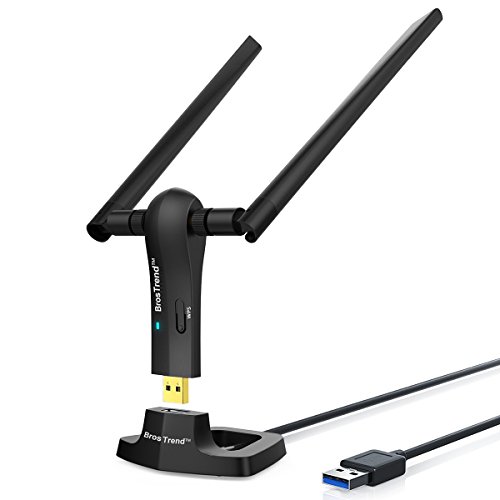
BrosTrend USB WiFi Dongle 1200Mbps
Available immediately
free shipping
  • data rates of up to 867 megabits per second on the 5 gigahertz band and 300 megabits per second on the 2.4 gigahertz band
  • dual-band frequency capability for better WiFi connections
  • improved stability and range with two 5 dBi high-gain antennas
Our rating
9,8
very good
3. Bestseller
TP-Link Archer TX30U Plus AX1800 Wi-Fi 6 USB Adapter
Available immediately
free shipping
Our rating
9,8
very good
TP-Link Archer T3U Plus WiFi Dongle
Available immediately
free shipping
  • 1300 Mbps data rate with 400 Mbps on 2.4GHz band and 867 Mbps on 5GHz band
  • 5dBi high-gain antenna improves signal reception and transmission
  • USB 3.0 compatibility allows for faster data transfer speeds compared to USB 2.0
Our rating
9,8
very good
TP-Link Archer T2U Plus WiFi Dongle
Available immediately
free shipping
  • 200 mbps data rate on 2.4 ghz band and 433 mbps on 5 ghz band
  • dual-band frequency of 2.4 ghz and 5 ghz for flexible connectivity
  • 5dbi high-gain antenna enhances signal strength
Our rating
9,6
very good
500+ purchases last month
BrosTrend USB WiFi 6 Dongle AX1800 - Dual Band, USB3.0, High Gain Antennas
Available immediately
free shipping
  • wireless speeds up to 1800Mbps for enhanced internet performance
  • dual-band frequency offering 1201Mbps on 5GHz or 574Mbps on 2.4GHz
  • two 5dBi high gain antennas for improved signal reception
Our rating
9,6
very good
50+ purchases last month
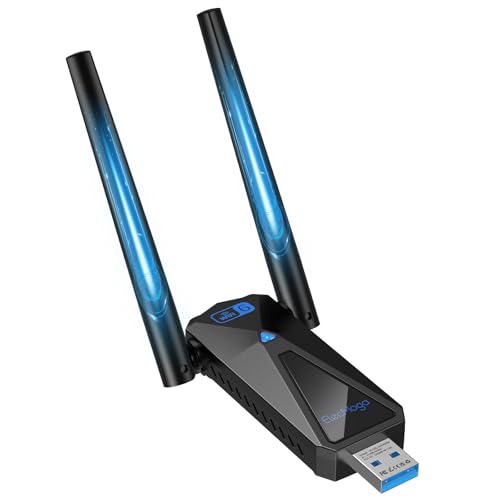
ElecMoga AX5400 WiFi 6E USB Adapter
Available immediately
free shipping
  • Combined wireless data rates of up to 5,400 Mbps, with up to 2,402 Mbps on each of the 5 GHz and 6 GHz bands and 573.5 Mbps on the 2.4 GHz band
  • Tri-band connectivity across 2.4 GHz, 5 GHz and 6 GHz, with the 6 GHz band offering additional channels with less interference from older Wi-Fi devices
  • Two adjustable 2 dBi antennas let you position the adapter to improve wireless reception
Our rating
9,6
very good
100+ purchases last month
MERCUSYS MA32H AC1300 Dual-Band USB Wi-Fi Adapter
Available immediately
free shipping
  • Wireless data rates of up to 867 Mbps on 5 GHz and 400 Mbps on 2.4 GHz
  • Dual-band support connects to 5 GHz and 2.4 GHz Wi-Fi networks
  • Two high-gain antennas help extend signal coverage and support more stable connections over longer distances
Our rating
9,6
very good
200+ purchases last month
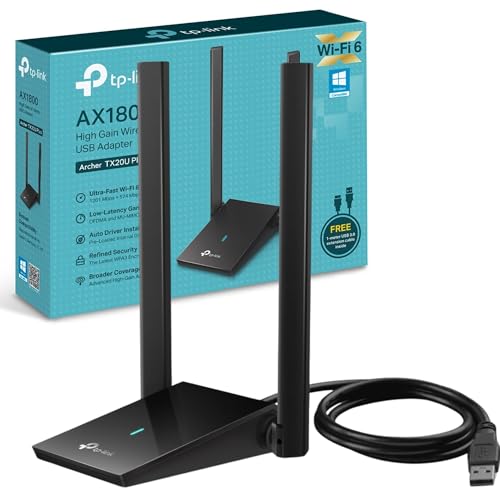
TP-Link Archer TX20U Plus WiFi 6 USB Adapter
Available immediately
free shipping
  • 1800 megabits per second wireless speeds
  • dual-band with both 5 gigahertz and 2.4 gigahertz frequencies
  • high-gain antennas provide strong connections at greater distances
Our rating
9,6
very good
500+ purchases last month
TP-Link Archer TX35U Plus AX1800 Wi-Fi USB Adapter
Available immediately
free shipping
  • Combined wireless speeds of up to 1,201 Mbps on 5 GHz and 574 Mbps on 2.4 GHz
  • Dual-band connectivity uses 5 GHz for higher speeds and 2.4 GHz for wider coverage
  • Two high-gain antennas help improve signal reception and maintain a stable connection
Our rating
9,6
very good
UGREEN AX900 Wi-Fi 6 Dongle with 6dBi Antennas
Available immediately
free shipping
  • data rate: up to 600 Mbps on 5 GHz and up to 287 Mbps on 2.4 GHz
  • dual-band frequency: operates on both 2.4 GHz and 5 GHz bands
  • high-gain antenna: features a 6dBi external adjustable antenna for better range and signal stability
Our rating
9,5
very good
200+ purchases last month
VENTION AC600 USB WiFi Bluetooth 5.0 Adapter
Available immediately
free shipping
  • transfer speed of up to 200 Mbps on 2.4 GHz and up to 433 Mbps on 5 GHz
  • dual-band frequency for broader wireless coverage
  • 6 dBi high-gain antennas improve signal reception and transmission
Our rating
9,4
good
1300Mbps USB WiFi Dongle with Dual Band Antenna
Available immediately
free shipping
  • 1.3 Gbps data rate with up to 400 Mbps on 2.4GHz and 867 Mbps on 5GHz
  • uses dual-band frequencies for improved connectivity
  • equipped with two high-gain antennas for better signal reception and transmission
Our rating
9,4
good
200+ purchases last month
PLERY AX900 Wi-Fi 6 USB Adapter with Bluetooth 5.4
Available immediately
free shipping
  • Wi-Fi 6 data rates reach up to 600 Mbps on 5 GHz and 286 Mbps on 2.4 GHz
  • Dual-band support allows connection on both 2.4 GHz and 5 GHz frequencies
  • Two external high-gain antennas improve signal strength and help reduce Wi-Fi dead zones
Our rating
9,3
good
AX1800 Wi-Fi 6 Dual-Band USB Wi-Fi Adapter
Available immediately
free shipping
  • Data rate: up to 1,800 Mbps, with up to 1,201 Mbps on the 5 GHz band and 574 Mbps on the 2.4 GHz band
  • Dual-band frequency: supports 2.4 GHz and 5 GHz Wi-Fi bands
  • Two high-gain antennas: includes two 5 dBi antennas that rotate through 180° to improve signal reception and transmission
Our rating
9,3
good
600Mbps USB Wifi Adapter Dongle
Available immediately
free shipping
  • wireless data rate of up to 867 Mbps on 5 GHz band and 300 Mbps on 2.4 GHz band
  • dual-band frequency providing flexibility for HD streaming or web surfing
  • high-gain 5dBi antenna enhances signal strength and range
Our rating
9,0
good
Multibao 600Mbps USB WiFi Dongle Adapter
Available immediately
free shipping
  • data rate: maximum speeds of 433 Mbps on 5 GHz and 150 Mbps on 2.4 GHz
  • dual-band frequency: operates on both 2.4 GHz and 5 GHz to minimise interference
  • high-gain antennas: built-in antenna design for improved stability and strength
Our rating
8,9
good
WiFi Smart Wireless USB Adapter
Available immediately
free shipping
  • data rate up to 150Mbps for efficient streaming and gaming
  • dual-band frequency supporting both 2.4GHz and 5GHz for reduced interference
  • high-gain antenna enhances signal reception in challenging environments
Our rating
8,5
good

Similar Wi-Fi Dongle With Antenna comparisons

Wi-Fi Dongles With Antennas buying guide: How to choose the right product from the above Wi-Fi Dongles With Antennas test or comparison

Understanding Wi-Fi Dongles with Antennas: What They Are and How They Work

What is a Wi-Fi Dongle with Antenna?

A Wi-Fi dongle with an antenna is a device that allows your computer or laptop to connect to a wireless network. Imagine you’re in a café, and there’s no Wi-Fi connection available on your device. Using a Wi-Fi dongle with an antenna can boost your chances of picking up signals, much like using binoculars to see faraway objects more clearly. These dongles plug into a USB port, making it easy to enjoy wireless internet access anywhere.

How Does It Work?

These dongles work by receiving signals from a Wi-Fi router and converting them into data that your device can understand. The antenna helps to enhance the strength and quality of the signal received, resulting in a quicker and more stable connection. Think of it as fishing in a vast ocean; the antenna acts like a fishing rod, helping you catch the best signals available.

Key Features to Look for in a Wi-Fi Dongle with Antenna

Compatibility

When purchasing a Wi-Fi dongle, ensure it is compatible with your operating system, such as Windows, macOS, or Linux. This is like choosing the right key for a lock; only the right fit will work.

Signal Range

Look for a dongle that specifies its signal range, listed in metres, to ensure you can connect to Wi-Fi from a suitable distance. A dongle with a longer range is beneficial, especially in larger homes or offices where the router is located far away.

Speed Ratings

Wi-Fi dongles display speed ratings such as 150 Mbps, 300 Mbps, or even higher. This indicates the maximum speed at which you can transfer data. Opt for a higher rating if you stream videos or play games online; it’s like choosing a faster car for a long journey, as it gets you to your destination quicker.

Antenna Type

Consider whether the dongle features an external or internal antenna. External antennas can typically be adjusted for better signal reception, similar to adjusting your position for optimal television reception.

Portability

If you plan to use the dongle on the go, look for a lightweight and compact design. Some models are small enough to leave plugged into your laptop without obstructing other ports, making it easy to carry around.

Benefits of Using a Wi-Fi Dongle with Antenna

Enhanced Connectivity

With a Wi-Fi dongle that has an antenna, you can significantly enhance your device’s connectivity. You’re not just relying on your device’s built-in capabilities; the antenna amplifies signal reception, ensuring a stable connection even in areas where signal strength is weak.

Convenience

Installing a Wi-Fi dongle is straightforward; it’s a plug-and-play solution. We simply connect it to a USB port, and most devices recognise it instantly, allowing you to connect to Wi-Fi without any complicated setup.

Flexibility

A Wi-Fi dongle provides the flexibility to connect devices that may not have built-in Wi-Fi capabilities, such as desktop computers or older laptops. This means you can easily upgrade your home or office internet access without needing to replace the entire computer.

Top Recommendations for Wi-Fi Dongles with Antennas

D-Link DWA-192

The D-Link DWA-192 stands out for its sleek design and robust performance. It offers dual-band connectivity, meaning it can connect to both the 2.4GHz and 5GHz bands, providing faster speeds and less interference. It’s a great option for those who stream live video or play games online.

TP-Link Archer T3U Plus

The TP-Link Archer T3U Plus is another excellent choice, featuring adjustable antennas that help capture the best signals. Its compact size makes it portable, while its high-speed capabilities ensure seamless browsing.

Netgear A6100

The Netgear A6100 is a versatile dongle known for its reliability and speed. It offers a quick setup process and solid performance, making it suitable for both casual users and tech enthusiasts.

How to Set Up Your Wi-Fi Dongle with Antenna for Optimal Performance

Installation Process

Setting up a Wi-Fi dongle is typically as easy as plugging it into a USB port. Your device will usually recognise it automatically, although you may need to install the drivers provided by the manufacturer. This is like following a recipe; just follow the steps for the desired outcome.

Positioning the Dongle

For optimal performance, ensure the dongle’s antenna is positioned in a way that maximises signal reception. If possible, elevate the dongle or adjust it toward the router. Visualise this like aiming a spotlight at a distant object to illuminate it better.

Troubleshooting Tips

Should you encounter issues with connectivity, restarting your device or unplugging and re-plugging the dongle can often resolve common problems. Also, keep your drivers updated to benefit from the latest performance enhancements, ensuring your device likes skiing down a well-maintained slope.


Table of contents
  1. Understanding Wi-Fi Dongles with Antennas: What They Are and How They Work
  2. Key Features to Look for in a Wi-Fi Dongle with Antenna
  3. Benefits of Using a Wi-Fi Dongle with Antenna
  4. Top Recommendations for Wi-Fi Dongles with Antennas
  5. How to Set Up Your Wi-Fi Dongle with Antenna for Optimal Performance

Overview

1. Comparison winner
TP-Link Archer TX20UH AX1800 Wi-Fi 6 USB Adapter
Our rating
9,8
very good
TP-Link Archer TX20UH AX1800 Wi-Fi 6 USB AdapterAvailable immediately
2. Best value
BrosTrend USB WiFi Dongle 1200Mbps
Our rating
9,8
very good
BrosTrend USB WiFi Dongle 1200MbpsAvailable immediately
3. Bestseller
TP-Link Archer TX30U Plus AX1800 Wi-Fi 6 USB Adapter
Our rating
9,8
very good
TP-Link Archer TX30U Plus AX1800 Wi-Fi 6 USB AdapterAvailable immediately
TP-Link Archer T3U Plus WiFi Dongle
Our rating
9,8
very good
TP-Link Archer T3U Plus WiFi DongleAvailable immediately
TP-Link Archer T2U Plus WiFi Dongle
Our rating
9,6
very good
TP-Link Archer T2U Plus WiFi DongleAvailable immediately
BrosTrend USB WiFi 6 Dongle AX1800 - Dual Band, USB3.0, High Gain Antennas
Our rating
9,6
very good
BrosTrend USB WiFi 6 Dongle AX1800 - Dual Band, USB3.0, High Gain AntennasAvailable immediately
ElecMoga AX5400 WiFi 6E USB Adapter
Our rating
9,6
very good
ElecMoga AX5400 WiFi 6E USB AdapterAvailable immediately
MERCUSYS MA32H AC1300 Dual-Band USB Wi-Fi Adapter
Our rating
9,6
very good
MERCUSYS MA32H AC1300 Dual-Band USB Wi-Fi AdapterAvailable immediately
Our product comparisons are:
Always up to date:
At most every 120 days, we update each category with new products and research developments in the top rankings. This ensures that our recommendations are always up to date
Neutral and independent:
Our tests and comparisons are objective and fact-based. Manufacturers have no influence on the ratings. We aim to provide greater transparency in the market, thereby promoting product quality.
Method-driven
In our tests & comparison tables, we only include products that meet our minimum standards. This ensures that you can find the perfect product for your needs from a wide selection.
Similar tests and comparisons - USB Network Adapters

