
Updated:01 November 2026
Rank 1-14 of the best Wireless Gaming Mice
Our recommendation Price Customer rating
1. Comparison winner
Razer Viper V3 HyperSpeed Wireless Mouse
Available immediately
free shipping
  • maintains strong wireless connection in busy environments with support for multiple devices
  • provides up to 280 hours of gaming on a single AA battery
  • offers a high level of accuracy with 30,000 DPI sensitivity
Our rating
9,6
very good
300+ purchases last month
2. Bestseller
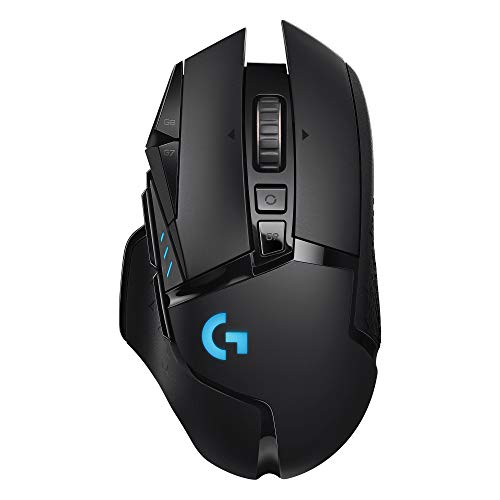
Logitech G502 LIGHTSPEED Wireless Gaming Mouse with HERO 25K Sensor
Available immediately
free shipping
  • wireless performance provides ultra-fast and reliable gaming experience
  • battery life offers long-lasting use in gaming sessions
  • dpi sensitivity up to 25600 for precise and accurate tracking
Our rating
9,6
very good
100+ purchases last month
3. Best value
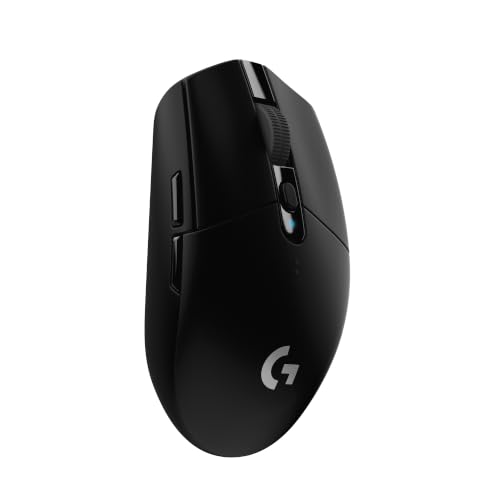
Logitech G305 LIGHTSPEED Wireless Gaming Mouse, Blue
Available immediately
free shipping
  • access ultra-fast wireless connectivity with lag-free gaming performance
  • enjoy up to 250 hours of continuous gameplay on a single AA battery
  • customise your experience with up to 12000 dpi sensitivity for precise control
Our rating
9,6
very good
SteelSeries Aerox 5 Wireless Gaming Mouse
Available immediately
free shipping
  • wireless connectivity via 2.4GHz and Bluetooth 5.0 with lag-free performance
  • 180-hour battery life for extended use
  • nine programmable buttons allowing custom settings for enhanced control
Our rating
9,6
very good
100+ purchases last month
SteelSeries Rival 3 Wireless Gaming Mouse - Black
Available immediately
free shipping
  • ultra-low latency wireless performance with 2.4 GHz and Bluetooth connectivity
  • battery life providing over 400 hours of uninterrupted use
  • DPI sensitivity featuring a TrueMove Air Optical Gaming Sensor
Our rating
9,6
very good
Logitech G G502 X PLUS Wireless Gaming Mouse, Black
Available immediately
free shipping
  • fast wireless connectivity with improved response rate and reliability
  • long-lasting battery with active play detection for optimal power management
  • precise DPI sensitivity with customisable button for tailored control
Our rating
9,5
very good
100+ purchases last month
Razer Basilisk V3 X HyperSpeed Gaming Mouse
Available immediately
free shipping
  • wireless performance offers ultra-low-latency with 2.4 GHz and Bluetooth connectivity
  • battery life extends up to 285 hours on wireless and 535 hours on Bluetooth
  • DPI sensitivity allows fine-tuned precision with 18k optical sensor
Our rating
9,5
very good
400+ purchases last month
Logitech G305 LIGHTSPEED Wireless Gaming Mouse with HERO 12K Sensor
Available immediately
free shipping
  • wireless gaming mouse provides a lag-free gaming experience with 1ms report rate
  • battery life allows for 250 hours of continuous gameplay on a single AA battery
  • DPI sensitivity up to 12000 for precise control
Our rating
9,5
very good
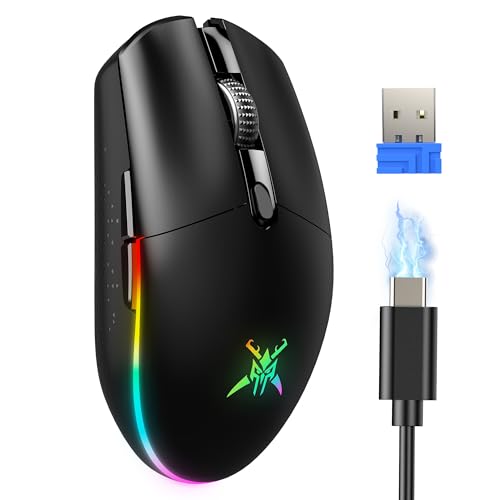
TECKNET RGB Wireless Gaming Mouse, 8000 DPI, 6 Buttons
Available immediately
free shipping
  • offers wireless performance with seamless switch between wired and wireless modes
  • provides up to 100 hours of playtime for extended sessions
  • features adjustable DPI levels for customizable speed and sensitivity
Our rating
9,4
good
Logitech G305 LIGHTSPEED Wireless Gaming Mouse
Check delivery time
free shipping
  • wireless performance: provides lag-free gaming with a fast 1 ms report rate and reliable connectivity
  • battery life: offers 250 hours of continuous gameplay on a single AA battery
  • DPI sensitivity: features adjustable settings up to 12000 DPI for precise control
Our rating
9,3
good
TECKNET Dual-Mode Wireless Gaming Mouse, 12,800 DPI
Available immediately
free shipping
  • wireless operation with 2.4GHz technology provides stable connection up to 10 metres
  • adjustable DPI levels up to 4800 for faster cursor movement and greater accuracy
  • 8 programmable buttons improve efficiency, with functionality for web browsing (note: side button not compatible with Mac OS)
Our rating
9,3
good
400+ purchases last month
Redragon M656 Wireless Gaming Mouse
Available immediately
free shipping
  • wireless connectivity with 2.4Ghz nano receiver for uninterrupted mouse movements
  • battery-saving smart ECO sleep mode optimises usage
  • sensitivity adjustable with 5 DPI levels (1000/1500/2000/2400/4000) allowing precise mouse movement
Our rating
8,9
good
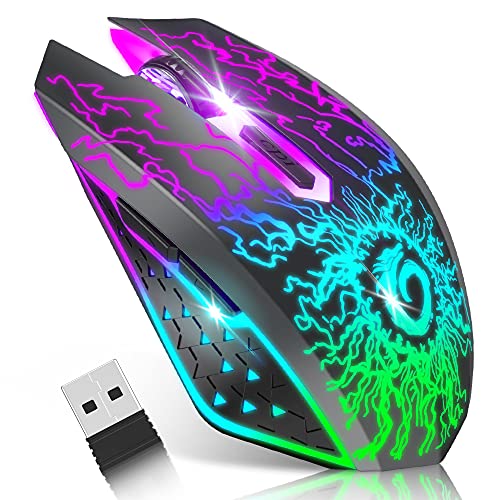
VersionTECH. Wireless Gaming Mouse, Rechargeable, Silent Click, Black
Available immediately
free shipping
  • smooth wireless connection up to 33ft compatible with multiple systems
  • built-in rechargeable battery with power-saving sleep mode after 8 minutes of inactivity
  • DPI sensitivity adjustable between 800, 1200, and 1600 for different tasks
Our rating
8,8
good
200+ purchases last month
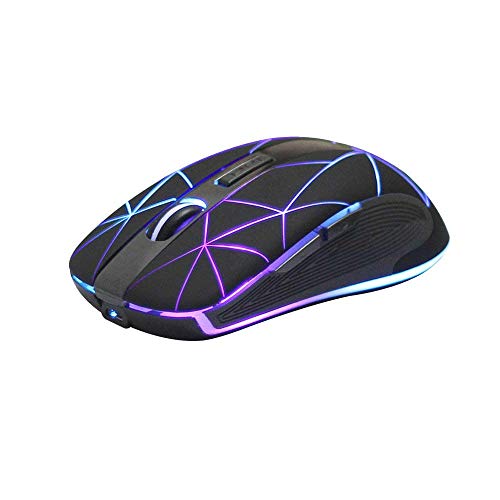
Rii RM200 Wireless Gaming Mouse
Available immediately
free shipping
  • 2.4G wireless performance allows flexible use up to 10 meters away
  • Rechargeable battery provides a sustainable and long-lasting power solution
  • Adjustable DPI sensitivity with three levels (800/1200/1600) to suit different needs
Our rating
8,6
good

Similar Wireless Gaming Mouse comparisons

Wireless Gaming Mice buying guide: How to choose the right product from the above Wireless Gaming Mice test or comparison

Introduction to Wireless Gaming Mice: Why Upgrade Your Game

Understanding the Shift to Wireless

In the world of gaming, precision and responsiveness are critical. We often find that traditional wired mice can limit your movement and create clutter on your desk. Upgrading to a wireless gaming mouse can significantly enhance our gaming experience by providing us with the freedom to move without being tethered to a cable. Imagine being able to shift positions, lean back, or adjust your gaming setup without worrying about the cord getting caught or snagged. This freedom can translate into improved comfort and, ultimately, better performance.

Benefits of Going Wireless

With advancements in technology, modern wireless gaming mice now offer exceptional performance and low latency that rival wired options. We can enjoy quick response times and high precision thanks to better sensors and improved wireless connectivity. This means that whether we are in the heat of battle or exploring expansive game worlds, our actions translate seamlessly on-screen, enhancing our overall experience. Additionally, going wireless helps keep our gaming space neat, allowing us to focus on the game rather than on cable management.

Key Features to Look for in a Wireless Gaming Mouse

Sensor Technology

One of the most crucial aspects of a gaming mouse is its sensor. We suggest opting for a mouse with an optical or laser sensor that offers adjustable DPI settings. DPI (dots per inch) determines how sensitive the mouse is to movement. A higher DPI means more sensitivity, which is great for fast-paced gaming. Look for mice that allow you to change DPI settings on-the-fly, as this can help us adapt to different gaming scenarios effortlessly.

Battery Life and Connectivity

When choosing a wireless gaming mouse, we cannot overlook battery life. A mouse that lasts longer on a single charge gives us peace of mind during long gaming sessions. Aim for a mouse that offers at least 20-30 hours of battery life. Additionally, consider how the mouse connects to our computer. We recommend options that use a dedicated USB receiver for a more stable connection, or Bluetooth for flexibility if you switch devices frequently.

Ergonomics and Design

Comfort is vital, especially during extended gameplay. We need to ensure that the shape of the mouse fits our hand comfortably. Look for ergonomic designs that offer support and reduce strain. Also, check for additional features such as adjustable weights, programmable buttons for custom macros, and quality materials that feel good in our hand.

Tips for Choosing the Right Wireless Gaming Mouse for Your Setup

Considering Your Game Genre

Different gaming genres may require distinct mouse features. For fast-paced shooters, a lightweight mouse with a high DPI and quick response time will greatly enhance our performance. If we enjoy MMORPGs, then having extra programmable buttons can be a game-changer for accessing skills and inventory quickly. Tailor our choice to the type of games we play most often.

Compatibility with Your Gaming System

Let’s not forget to consider compatibility. Ensure that the wireless gaming mouse we choose works seamlessly with our operating system, whether it’s Windows, macOS, or even console setups. Some manufacturers offer software that allows us to customize settings, which can enhance our gaming experience if compatible with our system.

Maximising Performance: How to Properly Set Up Your Wireless Gaming Mouse

Initial Setup for Optimal Use

To get started on the right foot, we recommend installing any software that comes with the mouse. This often includes drivers that unlock the full potential of our new device, allowing us to adjust the settings to match our preferences. Configure the DPI settings to fit our gameplay style, and customise the buttons to suit our needs.

Placement and Surface Considerations

Where we place our mouse also impacts its performance. A mouse pad with a smooth surface helps in achieving accurate tracking and movement. We should ensure that our gaming surface is clean and the mouse sensor is unobstructed for an optimal experience. Avoid reflective surfaces that can cause erratic movements.

Getting the Most Out of Your Wireless Gaming Mouse: Best Practices and Maintenance

Regular Cleaning and Care

To maintain the longevity and performance of our wireless gaming mouse, we should make it a practice to clean it regularly. Dust and grime can accumulate, particularly around the sensor and buttons, affecting performance. Use a soft cloth to wipe down the surface and a compressed air canister to clear out any debris from the crevices.

Charging and Battery Management

If our gaming mouse operates on a rechargeable battery, it’s wise to establish a charging routine. Avoid letting the battery deplete completely before recharging as this can impact its lifespan. By keeping it topped up regularly, we can ensure it’s always ready for action when it’s gaming time.


Table of contents
  1. Introduction to Wireless Gaming Mice: Why Upgrade Your Game
  2. Key Features to Look for in a Wireless Gaming Mouse
  3. Tips for Choosing the Right Wireless Gaming Mouse for Your Setup
  4. Maximising Performance: How to Properly Set Up Your Wireless Gaming Mouse
  5. Getting the Most Out of Your Wireless Gaming Mouse: Best Practices and Maintenance

Overview

1. Comparison winner
Razer Viper V3 HyperSpeed Wireless Mouse
Our rating
9,6
very good
Razer Viper V3 HyperSpeed Wireless MouseAvailable immediately
2. Bestseller
Logitech G502 LIGHTSPEED Wireless Gaming Mouse with HERO 25K Sensor
Our rating
9,6
very good
Logitech G502 LIGHTSPEED Wireless Gaming Mouse with HERO 25K SensorAvailable immediately
3. Best value
Logitech G305 LIGHTSPEED Wireless Gaming Mouse, Blue
Our rating
9,6
very good
Logitech G305 LIGHTSPEED Wireless Gaming Mouse, BlueAvailable immediately
SteelSeries Aerox 5 Wireless Gaming Mouse
Our rating
9,6
very good
SteelSeries Aerox 5 Wireless Gaming MouseAvailable immediately
SteelSeries Rival 3 Wireless Gaming Mouse - Black
Our rating
9,6
very good
SteelSeries Rival 3 Wireless Gaming Mouse - BlackAvailable immediately
Logitech G G502 X PLUS Wireless Gaming Mouse, Black
Our rating
9,5
very good
Logitech G G502 X PLUS Wireless Gaming Mouse, BlackAvailable immediately
Razer Basilisk V3 X HyperSpeed Gaming Mouse
Our rating
9,5
very good
Razer Basilisk V3 X HyperSpeed Gaming MouseAvailable immediately
Logitech G305 LIGHTSPEED Wireless Gaming Mouse with HERO 12K Sensor
Our rating
9,5
very good
Logitech G305 LIGHTSPEED Wireless Gaming Mouse with HERO 12K SensorAvailable immediately
Our product comparisons are:
Always up to date:
At most every 120 days, we update each category with new products and research developments in the top rankings. This ensures that our recommendations are always up to date
Neutral and independent:
Our tests and comparisons are objective and fact-based. Manufacturers have no influence on the ratings. We aim to provide greater transparency in the market, thereby promoting product quality.
Method-driven
In our tests & comparison tables, we only include products that meet our minimum standards. This ensures that you can find the perfect product for your needs from a wide selection.
Similar tests and comparisons - Xbox Accessories & Consoles