



Understanding A3 Printers: What They Are and Why We Need Them
What Is an A3 Printer?
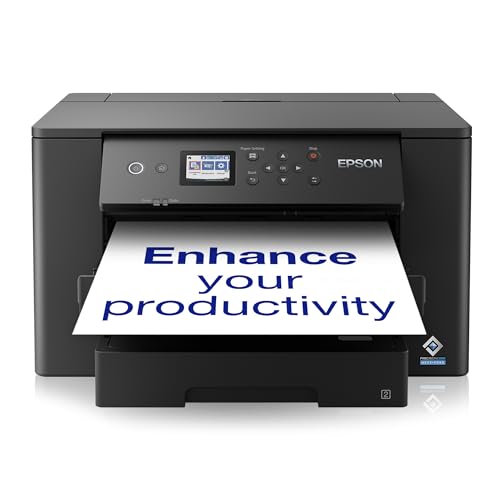
An A3 printer is a device that can handle paper sizes up to 11.7 x 16.5 inches, known as A3 size. This is larger than the standard A4 size that most home printers support. These printers are essential for anyone who requires high-quality prints for larger projects, like posters, architectural designs, or professional documents. In simple terms, if you often find yourself needing to print on larger sheets of paper for presentations, marketing materials, or creative projects, investing in an A3 printer could be a game changer.
Why A3 Printers Are Important in Various Scenarios
Think about scenarios where precision and detail matter, such as preparing a detailed report for work or printing out large visual aids for a presentation. A3 printers deliver crisp, clear images and text that capture attention and convey professionalism. They are also invaluable for artists and photographers who want to print their work at a size that reflects the quality of their craft. For businesses, having an A3 printer can increase productivity, allowing for in-house printing of larger documents rather than outsourcing, saving both time and resources.
Top Features to Look For When Buying an A3 Printer
Print Quality
When selecting an A3 printer, one of the foremost features to consider is print quality. Look for specifications such as a high DPI (dots per inch) rate, which indicates the level of detail the printer can produce. A higher DPI means sharper images and text, making it crucial for professional documents and vibrant graphics. Always check sample prints or reviews to gauge the actual performance of the printer.
Speed and Efficiency
In both home and office settings, print speed can make a significant difference in your workflow. Compare printers by looking at the number of pages they can print per minute (PPM). Faster printers can be a must-have during busy periods, ensuring that you do not waste valuable time waiting for outputs. Additionally, consider features like auto-duplexing, which allows printing on both sides of the paper automatically, saving time and paper.
Connectivity Options
Modern A3 printers often come with a variety of connectivity options. Ensure that the printer you choose has USB and wireless connectivity features, allowing you to print from multiple devices, whether desktop computers, tablets, or smartphones. Cloud printing capabilities can be a major advantage, enabling you to print from anywhere at any time.
Ease of Use and Maintenance
Choose a printer that is user-friendly, with an intuitive interface and clear instructions. Features like touchscreens make it easier to navigate settings. Maintenance plays a role too; consider how easy it is to replace ink or toner and whether the printer has built-in alerts for low supplies. An efficient printer saves you from frustration and enhances your printing experience.
Comparing A3 Printer Types: Inkjet vs Laser vs Multifunction
Inkjet Printers
Inkjet A3 printers are typically known for their superior colour accuracy and ability to print high-quality photos. They work by spraying tiny droplets of ink onto paper, making them ideal for creative projects that require exceptional detail and vibrancy. If you’re interested in printing posters, invitations, or photographs, an inkjet A3 printer could be the way to go. However, keep in mind that ink costs may add up if you do a lot of printing.
Laser Printers
On the other hand, laser printers are often the choice for users looking for speed and efficiency. They use toner instead of ink, which generally has a lower cost per page compared to ink, making them well-suited for high-volume printing. If you need to print a large number of documents quickly and cost-effectively, a laser A3 printer would be a smart investment. They are also less prone to smudging and better for text-heavy documents.
Multifunction Printers
Multifunction A3 printers combine printing, scanning, copying, and sometimes faxing in one device. These can be particularly useful for both home and office settings, offering versatility without taking up much space. If you need to complete multiple tasks and want to streamline your workspace, a multifunction A3 printer may be the best fit for you.
A3 Printers for Home vs Office: Choosing the Right Fit for Your Needs
Consider Your Printing Needs
When determining whether to purchase an A3 printer for home or office use, think about how often you’ll use it and for what purposes. For home use, if you enjoy crafting or require the occasional larger print, a good-quality inkjet A3 printer may suffice. However, if you’re running a small business, an A3 laser or multifunction printer might be more valuable, offering faster print speeds and lower ongoing costs.
Space and Budget Considerations
Consider the placement of the printer. A3 printers can be larger than standard printers, so make sure you have adequate space. Also, evaluate your budget; laser printers may be a larger upfront expense but can save money in the long run due to the cost of consumables. Weigh these factors against your printing frequency and desired quality to find the right model.
Budgeting for Your A3 Printer: Cost vs Value Considerations
Understanding Initial Costs
When budgeting for an A3 printer, it’s essential to look beyond the purchase price. While some models may seem cheaper upfront, factors such as the cost of ink or toner, maintenance fees, and the printer’s lifespan can significantly affect overall expenses. Assessing these ongoing costs can help you understand the true value of a printer over time.
Long-Term Investments
Additionally, consider how the printer will serve your needs in the long term. Investing in a slightly more expensive model with better quality prints, faster speeds, and lower running costs may well provide better value in the long run. Look for printers known for their reliability and durability, as these will reduce the stress of having to replace devices frequently. Taking the time to research and compare different models will ensure you find a printer that meets both your needs and your budget.





