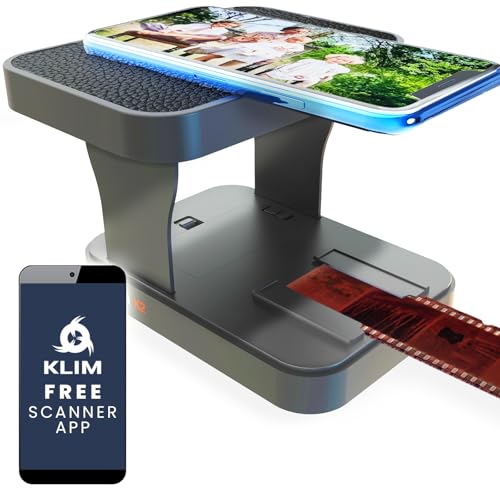

Understanding Photo Scanners: A Beginner’s Guide
What is a Photo Scanner?
A photo scanner is a device designed specifically for converting physical photographs and documents into digital formats. They allow us to preserve our cherished memories and documents by creating high-quality digital versions that can be easily stored, shared, and edited. Whether we want to digitise old family albums, keep important documents safe, or share photographs online, a photo scanner makes this process smooth and efficient.
How Do Photo Scanners Work?
Photo scanners work by capturing the image of a photograph or document using a combination of a light source and sensors. When you place a printed photo onto the scanner bed, the device illuminates it and uses the sensors to capture the image in detail. This image is then processed and saved in various digital formats such as JPEG, PNG, or TIFF, depending on our needs.
Why Should We Consider One?
Using a photo scanner can transform how we handle our printed materials. With a scanner, we can store large quantities of images in a compact digital format, keeping our collections neatly organised and easily accessible. It also allows us to back up important documents, protecting them from physical damage. Imagine having all our family photos from different generations in a single digital library, accessible anytime for printing, sharing, or viewing on digital devices.
Key Features to Look For When Choosing a Photo Scanner
Resolution Matters
One of the first features to consider is the scanner’s resolution. This is measured in dots per inch (DPI). A higher resolution provides more detail in the scanned images. For instance, a scanner with a resolution of 600 DPI will capture fine details and textures better than one with 300 DPI. If we plan to enlarge photos or preserve them in high quality, we should look for a scanner offering at least 600 DPI.
Scanning Speed and Efficiency
Scanning speed is another important consideration. If we have a large number of photos to digitise, choosing a scanner that offers a fast scanning speed will save time. Scanners may vary from several seconds per image to just a second or two for high-speed models. It’s helpful to consider how quickly we need to scan a batch of images and select a model that meets our needs.
Ease of Use and Interface
When choosing a photo scanner, it’s crucial to think about how user-friendly it is. A simple interface, clear instructions, and intuitive buttons can make the scanning process far more enjoyable. Some scanners come with software that simplifies editing and organising scanned images as well, adding extra convenience.
Portability vs. Desktop Models
Another factor to consider is whether we need a portable scanner or a larger desktop model. Portable scanners are lightweight and compact, making them ideal for on-the-go scanning, while desktop models often offer advanced features and higher capabilities but require more space. Assessing our scanning habits will help determine which type suits us best.
How to Use a Photo Scanner Effectively: Tips and Tricks
Prep Your Photos
Before scanning, preparing our photos can make a significant difference in the final quality. Ensure the photographs are clean and free from dust or fingerprints. A soft, dry cloth can be used to wipe off any smudges. If the photos are in albums or frames, gently remove them to avoid reflections that can affect the scan.
Choose the Right Settings
Most photo scanners come with various settings for different types of images and resolutions. Experimenting with these settings before starting a large batch can help us discover the best options for our needs. For instance, using colour settings for colour photos and black and white for monochrome images can make the results more authentic.
Organise as You Go
To make our digital archive more manageable, it’s helpful to create a filing system before we start scanning. We can use folders on our computer to categorise images by date, event, or family member, making it easier to find and share later. Renaming files with descriptive titles at the time of scanning can also streamline our search process.
Comparing the Best Photo Scanners on the Market
Top Features of Popular Models
When we evaluate photo scanners on the market, several models stand out based on their features, performance, and user feedback. Some scanners are celebrated for their high-resolution scans, while others are known for their speed and efficiency. We can find models that cater specifically to what we value most, whether it’s portability, scanning quality, or ease of use.
Price Range Overview
Photo scanners are available across a wide price range. Generally, entry-level models are good for casual users who only need to scan occasionally. However, if we are looking to digitise a significant collection or require advanced features, investing in a mid-range or premium model can provide better long-term value. Evaluating our budget alongside our scanning requirements is essential.
Online Reviews and Comparisons
Reading through online reviews can help us understand real-world experiences with different photo scanners. Checking user feedback on performance, customer service, and ease of use can guide us towards a purchase decision that aligns with our needs. We suggest seeking a balance between features and user satisfaction.
Maintaining Your Photo Scanner for Optimal Performance
Regular Cleaning is Key
To ensure our photo scanner remains in top shape, regular cleaning is essential. Dust and debris can accumulate and affect scanning quality. Most models have easy-to-follow cleaning instructions. We can use a soft cloth or cleaning solution recommended by the manufacturer to keep the glass surface and internal components free of buildup.
Software Updates for Improved Functionality
Many photo scanners come with software that can be updated for improved features or performance. We recommend periodically checking for updates to ensure we are utilising the scanner to its full potential. Updates can enhance scanning options, improve user experience, and fix any bugs that might affect performance.
Storage Tips for Longevity
When not in use, it’s important to store our scanner properly. Keeping it in a safe, dry place away from direct sunlight can help prevent any damage. Avoid placing heavy objects on top of it, as this can lead to physical damage over time. Taking care of our scanner ensures it operates effectively and lasts longer, providing value with each use.