





Understanding the Importance of a Graphic Design Monitor
Why a Good Monitor Matters for Design
When it comes to graphic design, the monitor is one of the most crucial elements in our setup. A high-quality monitor can significantly enhance our creative process by providing accurate colour representation and greater detail. Imagine spending hours perfecting a digital artwork only to see it look completely different when printed. This discrepancy often arises from using inadequate monitors that fail to display colours accurately. Therefore, understanding the importance of investing in a good graphic design monitor is essential to ensure that our work translates well across various media.
The Impact on Workflow and Comfort
Another aspect to consider is how a well-suited monitor can improve our workflow and comfort. A larger screen can reduce the need for scrolling and zooming, allowing us to view more of our design space at once. This makes it easier to spot issues and refine details without losing our train of thought. Furthermore, monitors with features like flicker-free technology and blue light reduction can enhance our comfort during long design sessions, which is often the reality for designers.
Key Features to Look for in a Graphic Design Monitor
Colour Accuracy Is Key
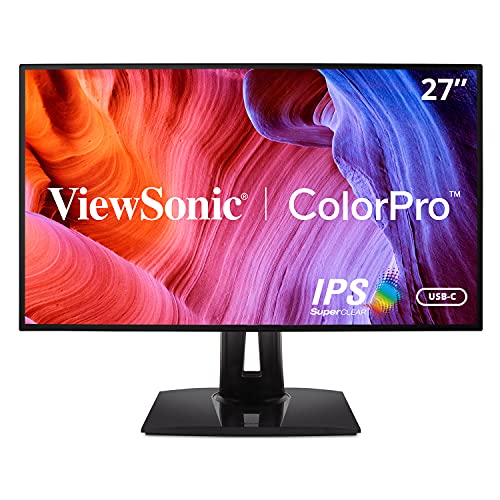
One of the most critical specifications in a graphic design monitor is colour accuracy. Look for monitors that support wide colour gamuts like Adobe RGB or sRGB to ensure that the colours we see on the screen closely match what will be produced in prints. Monitors with factory calibration can also be a significant advantage, providing consistency in colour performance right out of the box.
Resolution and Image Clarity
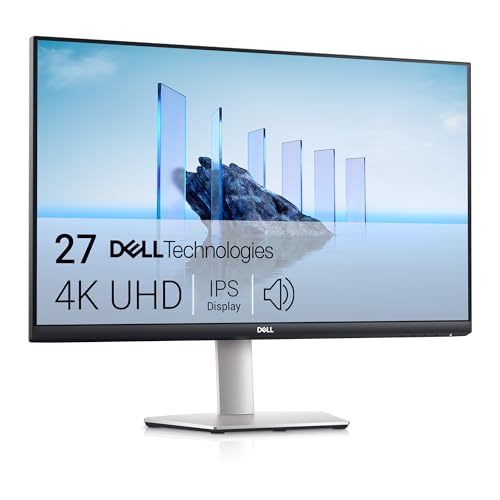
Resolution is another critical feature to consider. Higher resolutions, such as 4K, provide more detail and sharpness, allowing us to see intricate elements in our designs clearly. This clarity is essential for detail-oriented work like photo editing and vector illustrations, where every pixel counts.
Connectivity and Ergonomics
Connectivity options are important as well. Ensure the monitor has multiple ports such as HDMI, DisplayPort, and USB-C to accommodate various devices. Ergonomics should also not be overlooked; adjustable stands that allow us to modify the height, tilt, and rotation of the monitor can prevent discomfort and promote healthier sitting postures during working hours.
Choosing the Right Screen Size and Resolution for Your Projects
Screen Size Considerations
When selecting a monitor size, we should think about our workspace and personal preferences. If we work in a small area, a 24 to 27-inch monitor might fit perfectly while providing ample screen real estate. However, if space is not a concern and we enjoy multitasking or using multiple applications simultaneously, larger monitors ranging from 32 inches and above can provide an expansive view that enhances our productivity.
Finding the Ideal Resolution
Resolution and screen size go hand in hand. While larger monitors may be impressive, they should also have a corresponding resolution to prevent pixelation. For instance, a Full HD (1920×1080) resolution is often sufficient for smaller screens, but for larger displays, a 4K resolution (3840×2160) is highly recommended to maintain image clarity and detail.
Budgeting for Your Graphic Design Monitor
Setting a Realistic Budget
Setting a budget for our graphic design monitor is crucial. We can find decent monitors starting around £200; however, for professional use, we recommend looking in the range of £400 to £1,000. This budget will open up options for monitors that provide excellent colour accuracy, resolution, and features tailored for design work. Spending a little more can save us frustration down the line and significantly elevate our design process.
Long-term Investment
While it might be tempting to opt for a cheaper model, remember that a monitor is an investment in our craft. It can affect our productivity and the quality of our work for years to come. Spending wisely now can lead to better outcomes and satisfaction with our design projects.
Top Recommendations for Graphic Design Monitors
Popular Models to Consider
When it comes to selecting a graphic design monitor, we have numerous models that consistently receive positive feedback from designers. One standout option is the Dell UltraSharp series, known for its excellent colour accuracy and wide viewing angles. Another great choice is the BenQ PD series, specifically designed for creatives with features like illustrator modes and factory calibration. For those keen on extra screen real estate, the LG UltraWide monitors provide a panoramic view that is particularly useful for multitasking and immersive design work.
Conclusion of Recommendations
Ultimately, the best monitor will depend on our specific needs, preferences, and workspace. However, focusing on colour accuracy, resolution, and ergonomics guides us toward making an informed choice that will enhance our graphic design projects.














