

Updated:22 October 2026
Rank 1-22 of the best Iiyama Monitors
Our recommendation Price Customer rating
1. Comparison winner
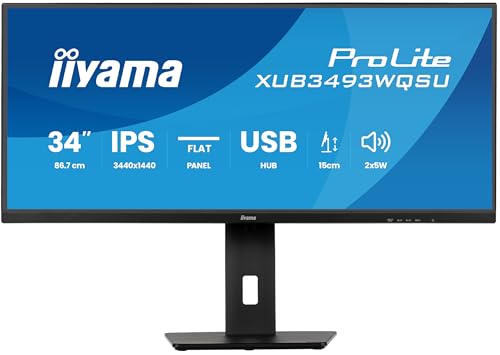
iiyama ProLite XUB3493WQSU-B6 34-inch UWQHD Monitor
Available immediately
free shipping
  • UWQHD resolution provides a wide 21:9 display for viewing multiple applications side by side
  • The stand adjusts by up to 150 mm for a more comfortable viewing position; Picture-in-Picture and Picture-by-Picture display content from two sources simultaneously
Our rating
9,9
very good
2. Best value
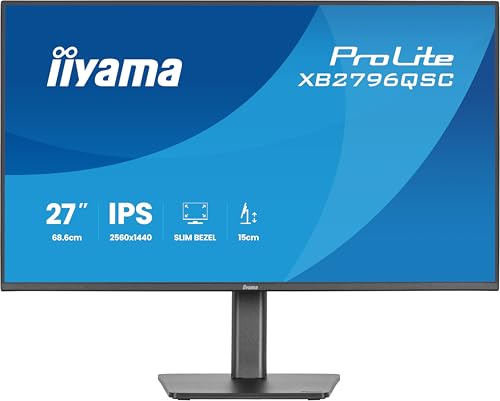
iiyama XB2796QSC-B1 27-inch IPS Monitor, 2560x1440, 144Hz, 4ms, HDMI, USB-C 65W PD, 2x USB Hub, 150mm HAS
Available immediately
free shipping
  • QHD resolution of 2560 × 1440 pixels provides more screen space than Full HD for viewing content and multitasking
  • A native contrast ratio of 1500:1 reveals detail in shadows and subtle tonal transitions
  • Thin bezels make it easier to place multiple monitors side by side for a wider workspace
Our rating
9,9
very good
iiyama XB2797QSU-B1 27-inch QHD IPS Monitor
Available immediately
free shipping
  • QHD resolution of 2560 × 1440 pixels on a 27-inch IPS display for clear images and wide viewing angles
  • Stand adjusts the screen height by up to 15 cm and supports tilt, swivel and pivot adjustment
  • Connections include HDMI and DisplayPort inputs, a headphone socket and a four-port USB hub; integrated stereo speakers provide audio
Our rating
9,8
very good
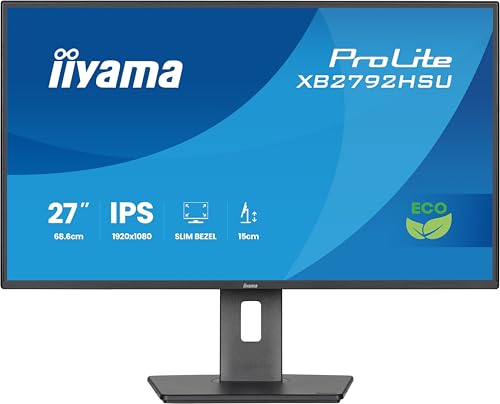
iiyama XB2792HSU-B1 27-inch Eco IPS monitor, 120Hz, 1ms, Full HD, HDMI/DP/USB, TCO10, TUV-GS, EPEAT Silver, height-adjustable stand
Available immediately
free shipping
  • 27-inch screen with Full HD resolution for clear, detailed images
  • 150 mm height adjustment lets you position the monitor for a more comfortable viewing height
  • Built-in USB hub lets you connect multiple USB devices, such as a headset
Our rating
9,8
very good
5. Bestseller
iiyama XB3270QSU-B1 32" IPS Monitor
Available immediately
free shipping
  • WQHD resolution of 2560 x 1440 for detailed image quality
  • 3ms response time minimises motion blur
  • contrast ratio of 1,200:1 for improved image depth
Our rating
9,8
very good
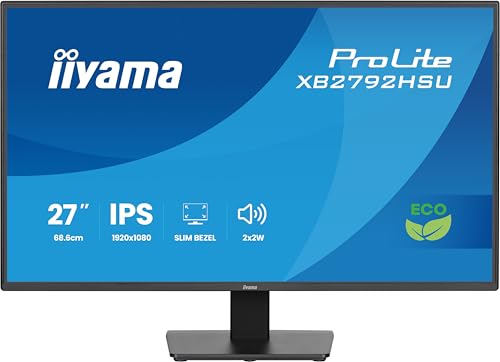
iiyama X2792HSU-B1 27-inch Full HD IPS Monitor
Available immediately
free shipping
  • Full HD resolution of 1,920 × 1,080 pixels
  • Built-in USB hub for connecting multiple USB devices
Our rating
9,8
very good
iiyama ProLite XUB2492QSU-B1 23.8-inch IPS LED Monitor WQHD, 100Hz, HDMI, DisplayPort, USB-C 3.2, USB 3.2, FreeSync, Slim-Line height adjustment, Black
Available immediately
free shipping
  • resolution 2560 by 1440 pixels with a 100 Hz refresh rate
  • response time 0.5 milliseconds
  • contrast ratio 1,000:1 with dynamic contrast up to 80,000,000:1
Our rating
9,8
very good
iiyama XUB2492HSU-W6 24" IPS Monitor
Available immediately
free shipping
  • Full HD resolution for clear, detailed images
Our rating
9,8
very good
iiyama G-Master Red Eagle G2771HS-B1 27-inch Full HD 240Hz Gaming Monitor
Available immediately
free shipping
  • Full HD resolution of 1920 × 1080 pixels
  • 0.4 ms MPRT response time and a 240 Hz refresh rate for smooth gameplay
  • Brightness and dark tones can be adjusted to improve visibility in shadowy areas
Our rating
9,6
very good
iiyama 24-inch XUB2493HS-B6 Monitor
Available immediately
free shipping
  • full HD resolution (1920x1080) for sharp images
  • response time of 4 milliseconds for smooth motion display
  • contrast ratio of 1300:1 for clear colour differentiation
Our rating
9,6
very good
50+ purchases last month
iiyama ProLite XCB3497WQSNP-B1 34-inch Curved UWQHD VA Monitor with USB-C Dock, KVM, 95W, Adaptive Sync
Available immediately
free shipping
  • 34-inch ultrawide 3440 x 1440 pixel resolution
  • 120 hertz refresh rate for smooth motion
  • VA panel provides high contrast between dark and bright areas
Our rating
9,6
very good
iiyama G-Master 27" QHD Gaming Monitor
Available immediately
free shipping
  • resolution: typical 1000:1 contrast ratio providing clear visuals
  • response time: 1 ms response time for seamless gaming
  • contrast ratio: 80 million:1 dynamic contrast ratio for enhanced detail
Our rating
9,5
very good
iiyama P1671HSC-B1 15.6-Inch Portable Monitor
Available immediately
free shipping
  • 15.6-inch Full HD resolution for clear viewing
  • Viewing angles of 45° or 60° let you adjust the screen position for greater comfort; the protective cover also folds into a stand
  • A USB-C connection carries the display signal from a laptop to the monitor
Our rating
9,5
very good
iiyama XU2491H-B1 24-inch IPS monitor, 1920x1080, 100Hz, 4ms MPRT, HDMI/DP
Available immediately
free shipping
  • Full HD resolution of 1920 × 1080 pixels for clear, detailed images
  • A 0.5 ms response time helps reduce motion blur
  • A 1300:1 contrast ratio provides clear distinctions between light and dark areas
Our rating
9,3
good
iiyama 24" IPS Monitor XUB2491H-B1
Available immediately
free shipping
  • resolution of 1920 x 1080 pixels for sharp images
  • response time of 0.5 milliseconds for smooth transitions
  • contrast ratio of 1300:1 for clear distinction between light and dark tones
Our rating
9,3
good
iiyama 24 inch Monitor XUB2493HSU-B7
Available immediately
free shipping
  • resolution of 1920 x 1080 Full HD for clear, detailed images
  • 1 ms response time for fast and smooth display performance
  • contrast ratio of 1300:1, enhanced to 80 million:1, for deep blacks and bright whites
Our rating
9,1
good
iiyama XU2293HSU-B6 21.5" Monitor
Available immediately
free shipping
  • resolution: Full HD
  • response time:
  • contrast ratio:
Our rating
9,0
good
Acer Vero CB242YG 24-inch Full HD Monitor - 120Hz, 1ms, IPS, Adaptive-Sync, 99% sRGB, HDMI, VGA
Available immediately
free shipping
  • Full HD resolution of 1,920 × 1,080 pixels for clear images
  • A 1 ms response time helps reduce blur when displaying moving objects
  • A 120 Hz refresh rate and AdaptiveSync support help keep motion smooth and reduce screen tearing
Our rating
8,9
good
100+ purchases last month
iiyama X2493HSU-B1 24-inch IPS LCD Monitor, 120Hz, 4ms GtG, HDMI/DP, Adaptive Sync
Available immediately
free shipping
  • Full HD resolution of 1920 × 1080 pixels on a 23.8-inch screen
  • Connections include HDMI and DisplayPort inputs, a two-port USB hub and a headphone socket; built-in speakers are also included
Our rating
8,9
good
iiyama XUB2293HSU-B7-21.5-inch IPS Monitor 1920x1080 100Hz 1x HDMI 1x DisplayPort
Available immediately
free shipping
  • Full HD resolution (1920x1080)
  • refresh rate 100 hertz
  • IPS panel for wide viewing angles and accurate colours
Our rating
8,9
good
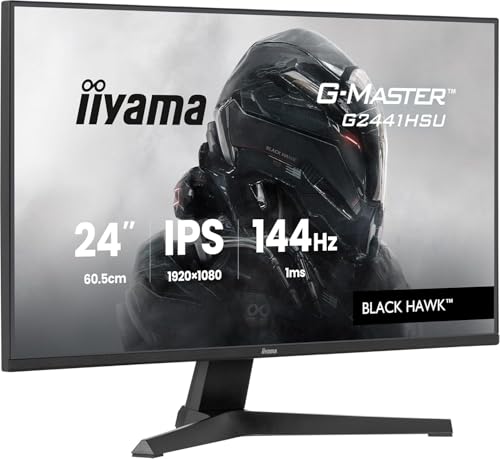
iiyama G-Master G2441HSU-B1 24-inch 144Hz 1080p IPS Gaming Monitor with Adaptive Sync, 1ms MPRT, HDMI/DP
Available immediately
free shipping
  • 1 millisecond response time reduces motion blur and ghosting for smoother visuals in fast paced games
  • IPS technology covers 100% of the colour range for accurate colours and wide viewing angles
  • brightness and dark shades can be adjusted with Black Tuner to improve visibility in shadowed areas
Our rating
8,5
good
iiyama XB2491H-B1 24-inch IPS Monitor 120Hz 1920x1080
Available immediately
free shipping
  • 1920x1080 Full HD resolution on a 24-inch screen
  • ergonomic stand with 15 cm height adjustment plus tilt, swivel and pivot for flexible positioning
  • one HDMI port and one DisplayPort for flexible connections to devices
Our rating
8,4
good
100+ purchases last month

Similar Iiyama Monitor comparisons

Iiyama Monitors buying guide: How to choose the right product from the above Iiyama Monitors test or comparison

Understanding Iiyama Monitors: An Overview of Features and Benefits

Iiyama Monitors: What to Expect

Iiyama monitors are known for their reliability and quality, catering to both casual users and serious professionals. You’ll find a range of features that enhance your viewing experience, from high refresh rates for smoother motion in games to advanced panel technologies for better colour accuracy in design work. Whether you’re a gamer, an office worker, or a creative professional, Iiyama has models that pack useful features designed to suit a variety of needs.

Key Benefits of Iiyama Monitors

One of the standout benefits of Iiyama monitors is their ergonomic designs, which often include adjustable stands. This means you can easily modify the height, tilt, and swivel for comfortable viewing during long hours. Furthermore, many models incorporate blue light filters and flicker-free technology to reduce eye strain, a huge advantage for anyone who spends a lot of time in front of a screen.

Choosing the Right Size and Resolution for Your Needs

Finding the Perfect Size

When selecting a monitor, size matters significantly. For casual use, a 24 to 27-inch monitor provides a great balance between screen real estate and desk space. For gamers or professionals needing fine detail, going for larger sizes, like 32 inches, becomes crucial. Imagine sitting in front of a larger monitor where every detail of the action or design pops out, making you more immersed and productive.

Understanding Resolution Options

Resolution is another deciding factor. Full HD (1920 x 1080) is the baseline and is suitable for most everyday tasks. For those who work with graphics or play high-end games, 2K or 4K resolutions can make a profound difference. Picture yourself editing a photo where every minute detail comes through crisply; that’s what a higher resolution offers. The key is matching your monitor’s resolution to your typical activities—for instance, if you watch a lot of films or play games, a higher resolution can significantly enhance your experience.

Exploring Connectivity Options: Which Ports Matter Most

Understanding the Importance of Ports

In today’s tech environment, the ports available on your monitor significantly affect its functionality. HDMI and DisplayPort are the main connections you’ll use for video, with DisplayPort offering higher refresh rates typically preferred by gamers. USB-C connections are also becoming more common, especially for laptops, allowing for a single cable setup that provides both power and display capabilities. Picture connecting your laptop to a monitor with a single USB-C cable; it’s not just tidy but incredibly efficient.

What You Might Need

If you’re using multiple devices, then having a monitor with multiple HDMI or DisplayPort inputs will be invaluable. Consider how many devices you’ll connect—traditional PCs, gaming consoles, or laptops? This foresight can prevent the hassle of plugging and unplugging cables daily. Furthermore, additional USB ports on the monitor for peripherals can streamline your workspace.

Top Iiyama Monitor Models: Our Recommendations for Every User

Best for Gamers

For gamers, we recommend the Iiyama G-Master series, particularly models like the G-Master GB2760QSU-B1. With a fast refresh rate and low response time, this monitor offers smooth gameplay and vibrant colours. The added benefit of adaptive sync technology minimizes screen tearing, enhancing your gaming sessions.

Best for Professional Use

For those in creative fields, the Iiyama ProLite series, such as the ProLite XUB2792UHSU-B1, is ideal. This monitor comes with 4K resolution for impeccable detail and colour accuracy. It’s tailored for graphic design and photo editing, ensuring your work looks exactly as intended.

Best for General Use

If you’re looking for a more general-purpose monitor, the Iiyama ProLite B2483HSU is an excellent choice. It features Full HD resolution and a good balance of size and functionality, making it suitable for everyday tasks such as browsing, office work, and streaming. The versatility of this model makes it a fantastic addition to any home or office setup.

Maximising Your Monitor Experience: Setup and Optimisation Tips

Getting Your Monitor Up and Running

Setting up your Iiyama monitor is straightforward. Start by finding a spot that allows for comfortable viewing; eye level is often ideal. Adjust the stand to ensure you’re looking straight ahead, reducing neck strain during extended use. Once positioned, connect your monitor to your devices using the appropriate cables, and make sure everything is securely connected.

Optimising Display Settings

After connecting, take time to adjust the display settings for optimum viewing comfort. Tweak brightness, contrast, and colour settings according to your preferences and the available ambient lighting. Calibration tools are often built into the monitor; taking advantage of these can enhance your experience. Another tip is to position your monitor away from direct light sources to minimize glare. A well-set, glare-free monitor can dramatically reduce eye fatigue over long periods.


Table of contents
  1. Understanding Iiyama Monitors: An Overview of Features and Benefits
  2. Choosing the Right Size and Resolution for Your Needs
  3. Exploring Connectivity Options: Which Ports Matter Most
  4. Top Iiyama Monitor Models: Our Recommendations for Every User
  5. Maximising Your Monitor Experience: Setup and Optimisation Tips

Overview

1. Comparison winner
iiyama ProLite XUB3493WQSU-B6 34-inch UWQHD Monitor
Our rating
9,9
very good
iiyama ProLite XUB3493WQSU-B6 34-inch UWQHD MonitorAvailable immediately
2. Best value
iiyama XB2796QSC-B1 27-inch IPS Monitor, 2560x1440, 144Hz, 4ms, HDMI, USB-C 65W PD, 2x USB Hub, 150mm HAS
Our rating
9,9
very good
iiyama XB2796QSC-B1 27-inch IPS Monitor, 2560x1440, 144Hz, 4ms, HDMI, USB-C 65W PD, 2x USB Hub, 150mm HASAvailable immediately
iiyama XB2797QSU-B1 27-inch QHD IPS Monitor
Our rating
9,8
very good
iiyama XB2797QSU-B1 27-inch QHD IPS MonitorAvailable immediately
iiyama XB2792HSU-B1 27-inch Eco IPS monitor, 120Hz, 1ms, Full HD, HDMI/DP/USB, TCO10, TUV-GS, EPEAT Silver, height-adjustable stand
Our rating
9,8
very good
iiyama XB2792HSU-B1 27-inch Eco IPS monitor, 120Hz, 1ms, Full HD, HDMI/DP/USB, TCO10, TUV-GS, EPEAT Silver, height-adjustable standAvailable immediately
5. Bestseller
iiyama XB3270QSU-B1 32" IPS Monitor
Our rating
9,8
very good
iiyama XB3270QSU-B1 32" IPS MonitorAvailable immediately
iiyama X2792HSU-B1 27-inch Full HD IPS Monitor
Our rating
9,8
very good
iiyama X2792HSU-B1 27-inch Full HD IPS MonitorAvailable immediately
iiyama ProLite XUB2492QSU-B1 23.8-inch IPS LED Monitor WQHD, 100Hz, HDMI, DisplayPort, USB-C 3.2, USB 3.2, FreeSync, Slim-Line height adjustment, Black
Our rating
9,8
very good
iiyama ProLite XUB2492QSU-B1 23.8-inch IPS LED Monitor WQHD, 100Hz, HDMI, DisplayPort, USB-C 3.2, USB 3.2, FreeSync, Slim-Line height adjustment, BlackAvailable immediately
iiyama XUB2492HSU-W6 24" IPS Monitor
Our rating
9,8
very good
iiyama XUB2492HSU-W6 24" IPS MonitorAvailable immediately
Our product comparisons are:
Always up to date:
At most every 120 days, we update each category with new products and research developments in the top rankings. This ensures that our recommendations are always up to date
Neutral and independent:
Our tests and comparisons are objective and fact-based. Manufacturers have no influence on the ratings. We aim to provide greater transparency in the market, thereby promoting product quality.
Method-driven
In our tests & comparison tables, we only include products that meet our minimum standards. This ensures that you can find the perfect product for your needs from a wide selection.
Similar tests and comparisons - Monitors



