

Updated:23 October 2026
Rank 1-15 of the best USB-C Monitors
Our recommendation Price Customer rating
1. Comparison winner
PHILIPS 27E1N1600AM 27" Quad HD Monitor
Coming soon
free shipping
  • 2560 x 1440 pixels resolution for clear images
  • compatible with USB-C, DisplayPort, HDMI
  • plug-and-play functionality
Our rating
9,6
very good
50+ purchases last month
Dell S2725DC 27" USB-C Monitor – QHD (2560x1440), 144Hz, IPS, 1ms MPRT, FreeSync, 99% sRGB, height adjustment, built-in speakers, USB-C x2, DisplayPort, HDMI
Available immediately
free shipping
  • 2560 x 1440 pixel resolution on a 27-inch screen for sharp imagery
  • adaptive sync with variable refresh rate via HDMI 2.1 for tear-free motion
  • USB-C with up to 65 W power delivery, HDMI, DisplayPort 1.4, USB-A fast charging and USB-C 15 W downstream port for easy connections to multiple devices
Our rating
9,6
very good
400+ purchases last month
3. Best value
BenQ GW2486TC 24" FHD IPS Monitor
Available immediately
free shipping
  • delivers a smoother user experience with fast reactions to changes
  • compatible with USB-C devices for audio, video, and charging
  • quick and easy setup without the need for additional software
Our rating
9,6
very good
50+ purchases last month
BenQ GW2790CE 27-inch FHD IPS USB-C Eye-Care Monitor
Available immediately
free shipping
  • 1920 x 1080 full HD resolution for clear, sharp images
  • USB-C single cable connectivity for quick device switching and easy setup
  • Plug-and-play connectivity with a single USB-C cable for easy setup and immediate use
Our rating
9,6
very good
100+ purchases last month
5. Bestseller
Dell 27-inch USB-C Monitor S2725QC (4K UHD, 120Hz, IPS)
Available immediately
free shipping
  • screen resolution of 3840 x 2160 pixels provides sharp detail and true colours
  • USB-C connection enables video, data transfer and up to 65 watts charging over a single cable for simple setup with compatible devices; two HDMI 2.1 ports and two USB-C ports offer flexible connectivity
  • plug-and-play connectivity via a single USB-C cable carries video and data and provides up to 65 watts charging for quick setup with supported devices
Our rating
9,6
very good
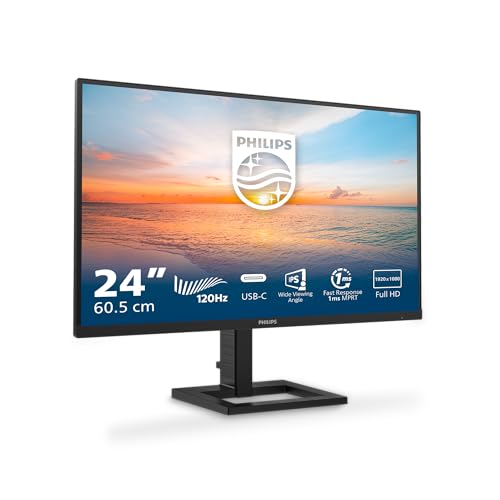
Philips 24E1N1300AM 24-inch FHD Monitor
Available immediately
free shipping
  • portable design for easy transportation
  • high resolution screen for clear and detailed viewing
  • compatible with various devices for versatile use
Our rating
9,6
very good
AOC 27B3CF2 27 Inch FHD Monitor
Available immediately
free shipping
  • portable design with USB-C connectivity for charging and data transfer
  • high-resolution display for crisp and clear visuals
  • compatible with devices via HDMI and USB hub connections
Our rating
9,5
very good
BenQ GW2490TE 23.8-inch FHD IPS Eye-Care Monitor with USB-C, Flicker-Free, Low Blue Light, Height Adjustable, Slim Bezel, TUV-Certified
Available immediately
free shipping
  • please provide the product description to normalise
Our rating
9,5
very good
50+ purchases last month
ASUS ZenScreen Portable Monitor 15.6" MB166C
Available immediately
free shipping
  • easily portable with ultra-slim and lightweight design, perfect for travel
  • features a 15.6-inch display with 1920x1080 resolution and wide viewing angle for quality visuals
  • compatible with USB-C laptops, smartphones, and PCs without needing additional drivers
Our rating
9,5
very good
200+ purchases last month
Minifire 27-inch Curved Monitor MF27C1 with USB-C, 120Hz, FHD 1080p, Built-in Speaker, VESA 100x100, Flicker-Free, Low Blue Light, Anti-Glare, HDMI
Available immediately
free shipping
  • USB-C connectivity enables a single-cable connection with compatible laptops and devices
  • Plug-and-play with USB-C devices via a single cable for quick setup
  • Built-in speakers provide audio without the need for external devices
Our rating
9,5
very good
200+ purchases last month
Minifire 24-inch USB-C Monitor MF24X3AL, 1920x1080 Full HD, 100Hz, HDR, 8-bit colour, 75% DCI-P3, USB-C/HDMI 1.4, VESA 75x75mm
Available immediately
free shipping
  • 1920x1080 full HD resolution delivers sharp text and detailed images
  • connects with laptops and other devices via USB-C and HDMI for multi-device compatibility, includes a VESA 75x75 mount for space-saving setups
  • plug-and-play connection via USB-C and HDMI for quick setup with laptops and devices
Our rating
9,5
very good
100+ purchases last month
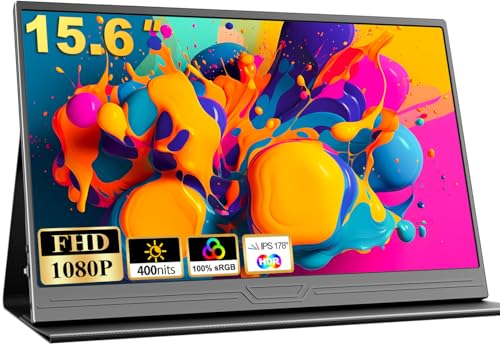
COOLHOOD 15.6" FHD Portable Monitor
Available immediately
free shipping
  • weight 0.63 kilograms and a slim profile around 7.6 millimetres for easy portability, external power supply required and no built-in battery
  • full hd resolution of 1920x1080 pixels with a matte IPS display, 178-degree viewing angle and hdr capability
  • connects to laptops, PCs, Macs and smartphones using mini-HDMI or USB Type-C 3.1 ports, including iPhone 15 and PS5
Our rating
9,3
good
Yodoit 15.6" Portable FHD Monitor
Available immediately
free shipping
  • lightweight and compact design makes it easy to transport and set up as a second screen
  • 15.6-inch 1080p FHD display provides high resolution and rich colours
  • compatible with devices such as PCs, Macs, laptops, phones, and gaming consoles
Our rating
9,1
good
500+ purchases last month
COOLHOOD 15.6'' Portable Monitor
Available immediately
free shipping
  • lightweight and thin design makes it ideal for travelling professionals
  • 1920x1080 resolution offers vivid colours and crisp images
  • compatible with devices such as PCs, laptops, phones, and gaming devices via USB Type C and mini HDMI ports
Our rating
9,1
good
BenQ GW2490CE 23.8-inch FHD IPS Monitor with USB-C, Eye-Care, Flicker-Free, Low Blue Light
Available immediately
free shipping
  • ultrathin bezel design for a compact, space saving profile
  • ips panel delivers accurate colours and image reproduction from any angle with a 99 per cent sRGB colour space for vivid visuals
  • triple eye protection features include low blue light and flicker-free technology for all-day eye comfort
Our rating
9,0
good
200+ purchases last month

Similar USB-C Monitor comparisons

USB-C Monitors buying guide: How to choose the right product from the above USB-C Monitors test or comparison

Understanding USB-C Monitors: The Next Generation of Screens

What is USB-C and Why Does it Matter?

USB-C is a versatile connection type that has rapidly become the standard for many electronic devices. It allows for high-speed data transfer and can power devices all through a single cable. Imagine using just one cable to connect your laptop to a monitor, charging your phone, and transferring data from your external hard drive all at once. USB-C monitors harness this technology, offering simple and effective solutions that declutter your workspace.

The Benefits of Choosing a USB-C Monitor

Using a USB-C monitor brings a range of benefits. These monitors are not only sleek and modern, enhancing the aesthetic of any setup, but they also provide ease of use. Imagine arriving at your desk after a long day and effortlessly connecting your laptop to a single port on the monitor—no more fumbling with multiple cables. This is the convenience we’re talking about with USB-C.

Key Features to Consider: What Makes a USB-C Monitor Stand Out

Resolution Matters

When we look for a good monitor, resolution is one of the first things to consider. Higher resolutions like 4K provide stunning clarity, making tasks such as graphic design or video editing a pleasure. Picture working with vibrant colours and fine details that leap off the screen. If you primarily use your monitor for office work or browsing, a Full HD resolution might be sufficient.

Refresh Rate and Response Time

For gamers and fast-paced professionals, refresh rate and response time are crucial. A monitor with a higher refresh rate, like 144Hz, means smoother visuals during motion, which can significantly enhance gaming experiences. Think of it as watching a fast-action movie—smooth visuals keeps you engaged. A low response time ensures that your actions translate on-screen with minimal delay.

Ergonomics and Design

Investing in a monitor that promotes a comfortable viewing experience is vital, especially if you spend long hours in front of a screen. Look for adjustable stands that enable you to change the height and tilt of the monitor. This means you can set the screen to the optimal viewing angle, reducing strain on your neck and eyes. A sleek design that fits well in any workspace also adds a professional touch.

Compatibility Check: Ensuring Your Devices Work Seamlessly

Assess Your Current Devices

Before making a purchase, it’s essential to check your devices’ compatibility with USB-C. Many modern laptops and smartphones support USB-C, but not all devices do. We recommend reviewing your current setup to see which ports are available. Imagine connecting your laptop, phone, and a few other peripherals all through one hub—it’s possible if everything is USB-C compatible.

Consider Adapters and Cables

If you have a mix of older devices with HDMI or DisplayPort connections, consider whether you need adapters. USB-C monitors usually come with USB-C cables, but ensure that any adapter you purchase supports the same capabilities—like video output and data transfer. Making the right connections will allow you to streamline your workspace while ensuring each device functions flawlessly.

Selecting the Right Size and Resolution for Your Needs

Finding the Right Size

Size is a critical factor when choosing a monitor. A 24-inch monitor might be perfect for a home office or smaller workspace, while larger sizes, like 32 inches, are great for immersive experiences or multitasking. Picture yourself working on a spreadsheet and being able to see everything without constantly scrolling. A larger screen allows you to do just that.

Selecting the Right Resolution

Pairing size with the right resolution ensures you maximise your viewing experience. If you opt for a larger screen, aim for at least 1440p to maintain sharp visuals. However, if you’re working primarily with text, a lower resolution can still suffice. It’s all about matching your resolution to your specific usage.

Top USB-C Monitors on the Market: Our Expert Picks

The All-Rounder Option

For users who need a versatile monitor with excellent features, we recommend considering models that balance size, resolution, and refresh rate. These monitors are well-suited for both work and play, providing clarity for documents while delivering immersive gaming experiences.

Professional Monitors for Creatives

If you are a designer, photographer, or content creator, look for monitors that offer high colour accuracy and a wide colour gamut. These screens ensure your work appears how it was intended, with vibrant colours. They can sometimes come with higher price tags, but the investment pays off in the quality of your work.

Compact Choices for Limited Spaces

For those with limited desk space, there are compact USB-C monitors designed to fit neatly in smaller environments. These monitors combine decent performance with portability, making them great for professionals on the go. Imagining working flexibly, moving from your office to a coffee shop, is easier with a lightweight yet capable monitor.


Table of contents
  1. Understanding USB-C Monitors: The Next Generation of Screens
  2. Key Features to Consider: What Makes a USB-C Monitor Stand Out
  3. Compatibility Check: Ensuring Your Devices Work Seamlessly
  4. Selecting the Right Size and Resolution for Your Needs
  5. Top USB-C Monitors on the Market: Our Expert Picks

Overview

1. Comparison winner
PHILIPS 27E1N1600AM 27" Quad HD Monitor
Our rating
9,6
very good
PHILIPS 27E1N1600AM 27" Quad HD MonitorComing soon
Dell S2725DC 27" USB-C Monitor – QHD (2560x1440), 144Hz, IPS, 1ms MPRT, FreeSync, 99% sRGB, height adjustment, built-in speakers, USB-C x2, DisplayPort, HDMI
Our rating
9,6
very good
Dell S2725DC 27" USB-C Monitor – QHD (2560x1440), 144Hz, IPS, 1ms MPRT, FreeSync, 99% sRGB, height adjustment, built-in speakers, USB-C x2, DisplayPort, HDMIAvailable immediately
3. Best value
BenQ GW2486TC 24" FHD IPS Monitor
Our rating
9,6
very good
BenQ GW2486TC 24" FHD IPS MonitorAvailable immediately
BenQ GW2790CE 27-inch FHD IPS USB-C Eye-Care Monitor
Our rating
9,6
very good
BenQ GW2790CE 27-inch FHD IPS USB-C Eye-Care MonitorAvailable immediately
5. Bestseller
Dell 27-inch USB-C Monitor S2725QC (4K UHD, 120Hz, IPS)
Our rating
9,6
very good
Dell 27-inch USB-C Monitor S2725QC (4K UHD, 120Hz, IPS)Available immediately
Philips 24E1N1300AM 24-inch FHD Monitor
Our rating
9,6
very good
Philips 24E1N1300AM 24-inch FHD MonitorAvailable immediately
AOC 27B3CF2 27 Inch FHD Monitor
Our rating
9,5
very good
AOC 27B3CF2 27 Inch FHD MonitorAvailable immediately
BenQ GW2490TE 23.8-inch FHD IPS Eye-Care Monitor with USB-C, Flicker-Free, Low Blue Light, Height Adjustable, Slim Bezel, TUV-Certified
Our rating
9,5
very good
BenQ GW2490TE 23.8-inch FHD IPS Eye-Care Monitor with USB-C, Flicker-Free, Low Blue Light, Height Adjustable, Slim Bezel, TUV-CertifiedAvailable immediately
Our product comparisons are:
Always up to date:
At most every 120 days, we update each category with new products and research developments in the top rankings. This ensures that our recommendations are always up to date
Neutral and independent:
Our tests and comparisons are objective and fact-based. Manufacturers have no influence on the ratings. We aim to provide greater transparency in the market, thereby promoting product quality.
Method-driven
In our tests & comparison tables, we only include products that meet our minimum standards. This ensures that you can find the perfect product for your needs from a wide selection.
Similar tests and comparisons - Monitors




