
Updated:23 October 2026
Rank 1-17 of the best IPS Monitors
Our recommendation Price Customer rating
1. Comparison winner
Samsung Odyssey G5 27" Gaming Monitor
Available immediately
free shipping
  • QHD resolution provides lifelike images with 1.7 times the pixel density of Full HD
  • 1ms response time ensures minimal blur and ultra-smooth action
  • reduces fatigue with technology designed to be gentle on the eyes
Our rating
9,8
very good
100+ purchases last month
2. Best value
LG UltraGear G6 27G610A Gaming Monitor – 27-inch QHD IPS, 200Hz, 1ms GtG, FreeSync Premium, DisplayHDR 400, HDMI, DP 1.4 (DSC)
Available immediately
free shipping
  • 27-inch qhd display with 2560x1440 resolution delivers sharp detail and clear imagery with a high pixel density and a wide colour gamut including 99% sRGB and DisplayHDR 400 for realistic colours
  • one millisecond response time (gtg) reduces motion blur and ghosting for fast paced gameplay
  • adaptive sync technology provides tear-free visuals and smooth motion with low input latency when used with compatible graphics cards
Our rating
9,6
very good
Dell S2725QS 27-inch 4K UHD IPS Monitor, 120Hz, FreeSync Premium, 99% sRGB, HDMI x2, DisplayPort, Built-in Speakers, Height Adjustable, 3-Year Warranty
Available immediately
free shipping
  • image quality 27-inch 4K UHD display with 3840 x 2160 resolution, an IPS panel for wide viewing angles and a 120 Hz refresh rate, with AMD FreeSync Premium for smooth motion and connectivity via 2 x HDMI 2.1 and 1 x DisplayPort 1.4
  • response time the display offers a low response time and a 120 Hz refresh rate to provide smooth motion for work, films and casual gaming
  • eye care technologies TÜV Rheinland 4-star eye comfort rating and ComfortView Plus reduce blue light by up to 35% while preserving colour accuracy
Our rating
9,6
very good
500+ purchases last month
Acer Nitro XV271UM3B 27" Gaming Monitor
Available immediately
free shipping
  • 27-inch monitor with Quad HD resolution (2560x1440) for detailed and immersive viewing
  • 0.5ms response time ensures smooth and blur-free gaming
  • Technologies designed to minimize eye strain for comfortable extended use
Our rating
9,6
very good
100+ purchases last month
5. Bestseller
Philips 24E1N1100A 24" FHD Monitor
Available immediately
free shipping
  • ultra-smooth images with a refresh rate of 100Hz
  • crisp image and smooth gameplay with 1ms response time
  • easy on the eyes with LowBlue mode and flicker-free technology
Our rating
9,6
very good
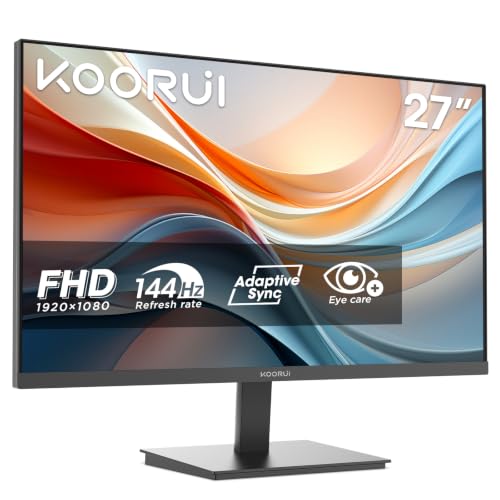
KOORUI E2711F 27 Inch FHD Gaming Monitor
Available immediately
free shipping
  • 27 inch IPS monitor with 178° wide viewing angle for clear and sharp images from any perspective
  • 100Hz refresh rate for smooth and fluid visuals
  • Flicker-free technology and low blue light for comfortable and eye-friendly viewing
Our rating
9,6
very good
200+ purchases last month
BenQ PD2705U 27" USB-C Monitor
Available immediately
free shipping
  • displays content accurately with high colour coverage on an IPS panel
  • enhanced eye comfort through flicker-free, anti-glare and low blue light features
Our rating
9,5
very good
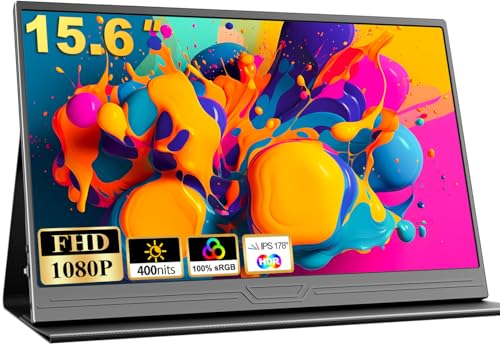
COOLHOOD 15.6" FHD Portable Monitor
Available immediately
free shipping
  • full hd 1080p ips screen with 1920x1080 resolution, 178-degree viewing angle and hdr support
  • flicker-free backlight with a blue light filter to reduce eye strain
  • slim and light portable monitor with a compact profile and a weight of 0.63 kilograms
Our rating
9,5
very good
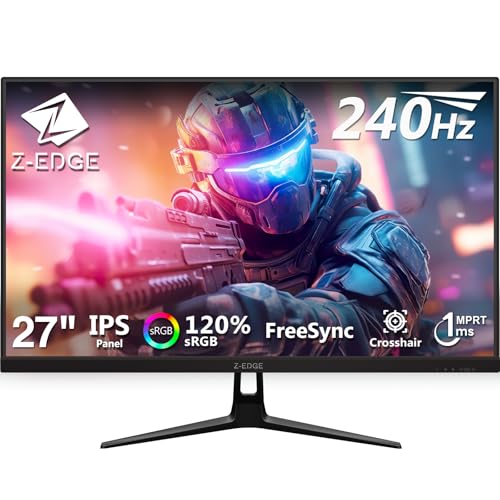
Z-Edge 27 Inch Gaming Monitor 240Hz
Available immediately
free shipping
  • deutliche und flüssige Bildqualität mit einer Bildwiederholrate von 240 Hz und einer Reaktionszeit von 1 ms
  • reaktionszeit von 1 ms für schnelle und schmierfreie Bewegungen
  • flimmerfreie und blaulichtarme Technologie reduziert die Augenbelastung bei langer Nutzung
Our rating
9,5
very good
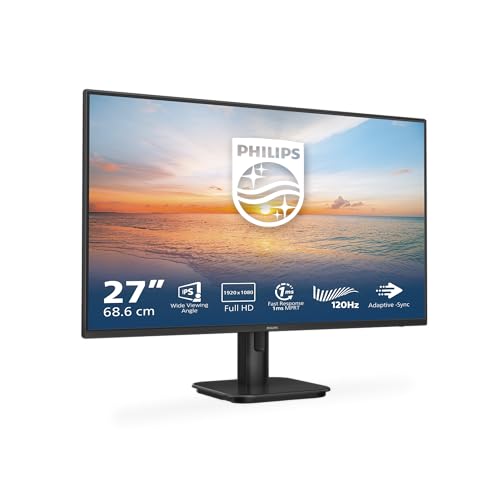
Philips 27E1N1100A 27-inch FHD Monitor 120Hz IPS 4ms GtG Adaptive Sync with Speakers HDMI 1.4 Black
Available immediately
free shipping
  • HDMI provides a universal digital connection for video and audio
  • low blue light mode and flicker-free viewing help reduce eye strain during long sessions
  • cable management reduces cable clutter to keep the workspace neat
Our rating
9,4
good
200+ purchases last month
KTC 27-inch QHD IPS Monitor, Ultra-thin Bezels, 100 Hz, HDR10, 116% sRGB, 95% DCI-P3, 300 nits, 5 ms MPRT, VESA 100x100, Adaptive Sync
Available immediately
free shipping
  • high resolution QHD display delivers crisp images and vibrant colours with a 100 Hz refresh rate and wide colour coverage of 116% sRGB and 95% DCI-P3 for natural tones
  • response time as low as 5 milliseconds (MPRT) to deliver smooth visuals and reduce motion blur
  • anti-blue light technology helps reduce eye fatigue during long sessions while keeping image quality
Our rating
9,4
good
200+ purchases last month
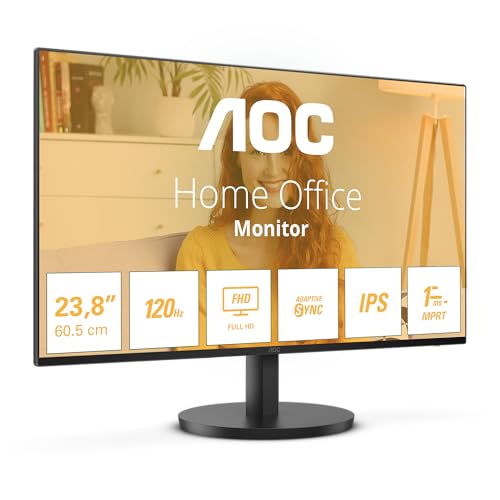
AOC 24B3HA2 24-Inch FHD Monitor
Available immediately
free shipping
  • fhd resolution offers clear and detailed visuals
  • ips panel ensures wide viewing angles
  • ultra-narrow border contributes to a sleek and modern design
Our rating
9,3
good
AOC 24G4XED 24" Full HD Gaming Monitor
Available immediately
free shipping
  • an IPS panel provides wide viewing angles and a matte screen to reduce reflections, with a brightness of 300 cd/m² and a contrast ratio of 1000:1
  • a 1 millisecond grey-to-grey response time reduces motion blur and helps keep input lag low
  • flicker-free backlight and low blue light mode help lessen eye strain during long sessions
Our rating
9,3
good
300+ purchases last month
LG Monitor 27MR400-B, 27-inch, Full HD, 100Hz, IPS Panel
Available immediately
free shipping
  • provides a smooth frame loading experience with a fast refresh rate of 100Hz, reducing motion blur for realistic gameplay
  • reduces eye strain with reader mode that adjusts colour temperature and luminance and a flicker safe feature that minimises screen flickering
  • maintains smooth and clear movement in high-resolution, fast-paced games with AMD FreeSync support
Our rating
9,1
good
Acer EK241YG 24-inch Full HD Monitor - 120Hz, 1ms, IPS panel, Adaptive Sync, 99% sRGB, HDMI, VGA
Coming soon
free shipping
  • image quality: a 24-inch screen for clear full hd visuals delivering sharp detail across everyday tasks and games
  • response time: fast response helps minimise motion blur during fast paced action titles
  • eye friendly technologies: reduces eye strain with flicker free backlight and blue light reduction
Our rating
9,1
good
MSI PRO MP251 E14L 24.5-inch FHD IPS Monitor - 144Hz, 1ms, Adaptive-Sync, HDMI 1.4b, Frameless, Tilt-Adjust, VESA Mount, Black
Available immediately
free shipping
  • 24.5 inch IPS panel with 178° viewing angles and Full HD 1920x1080 resolution for clear and sharp images
  • 1 ms MPRT response time for smoother motion and reduced blur
  • Eye-friendly features include less blue light and anti-flicker, an anti-glare screen, eco-mode and Eye-Q Check via the on-screen display
Our rating
9,0
good
500+ purchases last month
ASUS VY249HGR 24-inch FHD (1920x1080) IPS Gaming Monitor 120Hz OC
Available immediately
free shipping
  • Image quality: 23.8-inch full HD IPS panel with 178-degree viewing angles and 16.7 million colours for sharp, vivid images
  • Response time: 1ms MPRT with a 120 Hz overclocked refresh rate delivers smooth motion and reduces blur in casual gaming and video playback
  • Eye-friendly technologies: eye care features such as reduced blue light and flicker-free operation help minimise eye strain during long sessions
Our rating
8,9
good

Similar IPS Monitor comparisons

IPS Monitors buying guide: How to choose the right product from the above IPS Monitors test or comparison

Understanding IPS Technology: What Makes It Unique and Beneficial

What is IPS Technology?

IPS, or In-Plane Switching, is a type of LCD technology that provides superior colour reproduction and wider viewing angles compared to other types of displays, like TN (Twisted Nematic). This technology allows liquid crystals to be arranged parallel to the glass substrate, which enables better alignment of colours. The result is a more vibrant and consistent image, regardless of your viewing position. Whether you’re streaming movies, editing photos, or playing games, you’ll appreciate IPS’s ability to deliver sharp and accurate colours.

Benefits of Choosing IPS Monitors

One of the standout benefits of an IPS monitor is colour accuracy. If you’re someone who relies on precise colours—such as graphic designers or photographers—an IPS display will offer you the accuracy you need. Additionally, IPS monitors maintain their colour consistency when viewed from an angle, making them ideal for sharing your screen with others without colour distortion. High contrast ratios enhance the display experience, ensuring deep blacks and bright whites. Ultimately, choosing an IPS monitor means investing in a device that elevates your viewing experience significantly.

Key Features to Consider When Buying an IPS Monitor

Resolution and Screen Size

When purchasing an IPS monitor, consider the resolution that meets your needs. Higher resolutions, such as 4K, provide more detail for video editing or gaming, while a Full HD (1080p) resolution might suffice for general use. Alongside resolution, screen size matters too; larger screens offer more immersive experiences, especially for multitasking or gaming. We recommend choosing a size that fits comfortably within your workspace without overwhelming it.

Refresh Rate and Response Time

The refresh rate is another crucial feature to evaluate, especially for those into gaming. A higher refresh rate, such as 144 Hz, ensures smoother motion and less blur during fast-paced actions. Coupled with low response times, it enhances the experience by reducing ghosting. For regular users, a standard 60 Hz is perfectly adequate, but gamers should definitely consider models with higher rates.

Connectivity Options

Look for an IPS monitor that offers multiple connectivity options. HDMI and DisplayPort are common inputs allowing you to connect your monitor to a variety of devices. Additional features like USB-C ports enable quick charging and data transfers, simplifying connectivity with modern laptops and smartphones. Ensuring versatility in connection options can improve your overall setup.

Top IPS Monitors for Every Budget: A Quick Comparison

Best Budget Option

For those on a budget, several IPS monitors maintain quality without breaking the bank. These models still provide excellent colour accuracy and viewing angles, making them suitable for general use, light gaming, and entertainment. We recommend researching options that balance price and performance to get the most value.

Mid-Range Choices

Mid-range monitors typically offer enhanced features, such as higher resolutions and better refresh rates. These monitors are great for those who want a slight upgrade in their viewing experience for gaming, design work, or even watching films. Brands in this price range often bring a blend of quality and affordability, making them a worthwhile consideration.

Premium Monitors

For serious gamers, graphic designers, or professionals looking for top-tier performance, premium IPS monitors provide breathtaking colour accuracy and cutting-edge technology. These monitors usually come with features such as 4K resolution and ultra-high refresh rates. Investing in a premium model often pays off in terms of performance and user experience.

How to Choose the Right Size and Resolution for Your Needs

Assessing Your Space

Before making a purchase, it’s essential to assess your workspace. If you have limited desk space, a 24 to 27-inch screen might be ideal, ensuring it fits comfortably without crowding. On the other hand, if you’re setting up a dedicated workstation, a larger display can enhance productivity and immersion.

Determining Your Usage

Consider how you’ll primarily use the monitor. For general web browsing and office tasks, a Full HD (1080p) resolution on a moderate-sized monitor works well. However, those who engage in gaming or graphic-heavy applications should look towards 2K or 4K resolutions to reap the benefits of improved clarity and detail.

Tips for Optimising Your IPS Monitor Setup

Proper Calibration

To make the most of your IPS monitor, spend some time calibrating it. Adjusting the brightness, contrast, and colour settings can significantly enhance your viewing experience. Many monitors include built-in calibration settings, but there are also online tools available to help guide you through the process.

Ergonomics Matter

Positioning your monitor at the right height and angle can reduce strain on your neck and eyes. Ideally, the top of the screen should be at or just below eye level with the screen positioned at an arm’s length. Consider using an adjustable monitor stand to get the right height and angle.

Lighting and Glare Control

Ambient lighting plays a significant role in how we perceive our monitor. Reduce glare from windows and overhead lights by positioning your monitor away from direct light sources. Using curtains or adjusting the room can further enhance viewing comfort, making sure you get the full benefit of the IPS technology in your monitor.


Table of contents
  1. Understanding IPS Technology: What Makes It Unique and Beneficial
  2. Key Features to Consider When Buying an IPS Monitor
  3. Top IPS Monitors for Every Budget: A Quick Comparison
  4. How to Choose the Right Size and Resolution for Your Needs
  5. Tips for Optimising Your IPS Monitor Setup

Overview

1. Comparison winner
Samsung Odyssey G5 27" Gaming Monitor
Our rating
9,8
very good
Samsung Odyssey G5 27" Gaming MonitorAvailable immediately
2. Best value
LG UltraGear G6 27G610A Gaming Monitor – 27-inch QHD IPS, 200Hz, 1ms GtG, FreeSync Premium, DisplayHDR 400, HDMI, DP 1.4 (DSC)
Our rating
9,6
very good
LG UltraGear G6 27G610A Gaming Monitor – 27-inch QHD IPS, 200Hz, 1ms GtG, FreeSync Premium, DisplayHDR 400, HDMI, DP 1.4 (DSC)Available immediately
Dell S2725QS 27-inch 4K UHD IPS Monitor, 120Hz, FreeSync Premium, 99% sRGB, HDMI x2, DisplayPort, Built-in Speakers, Height Adjustable, 3-Year Warranty
Our rating
9,6
very good
Dell S2725QS 27-inch 4K UHD IPS Monitor, 120Hz, FreeSync Premium, 99% sRGB, HDMI x2, DisplayPort, Built-in Speakers, Height Adjustable, 3-Year WarrantyAvailable immediately
Acer Nitro XV271UM3B 27" Gaming Monitor
Our rating
9,6
very good
Acer Nitro XV271UM3B 27" Gaming MonitorAvailable immediately
5. Bestseller
Philips 24E1N1100A 24" FHD Monitor
Our rating
9,6
very good
Philips 24E1N1100A 24" FHD MonitorAvailable immediately
KOORUI E2711F 27 Inch FHD Gaming Monitor
Our rating
9,6
very good
KOORUI E2711F 27 Inch FHD Gaming MonitorAvailable immediately
BenQ PD2705U 27" USB-C Monitor
Our rating
9,5
very good
BenQ PD2705U 27" USB-C MonitorAvailable immediately
COOLHOOD 15.6" FHD Portable Monitor
Our rating
9,5
very good
COOLHOOD 15.6" FHD Portable MonitorAvailable immediately
Our product comparisons are:
Always up to date:
At most every 120 days, we update each category with new products and research developments in the top rankings. This ensures that our recommendations are always up to date
Neutral and independent:
Our tests and comparisons are objective and fact-based. Manufacturers have no influence on the ratings. We aim to provide greater transparency in the market, thereby promoting product quality.
Method-driven
In our tests & comparison tables, we only include products that meet our minimum standards. This ensures that you can find the perfect product for your needs from a wide selection.
Similar tests and comparisons - Monitors




